Call the Cat: Delivery — launch devlog
TL;DR: The AI can build you a menu for anything inside the code. A signing key, a store listing, a console setting — none of that lives in the code, so no amount of asking the AI to “fix the build” reaches it.
I asked for a release-build menu. I got one. Pressing the button was where the real work started.
“Build me a release menu” — and it worked
I asked the AI to add a release-build option to our internal dev menu, next to the debug build we’d been using. It built the menu in under an hour: a button, a build-type switch, a progress indicator. Compiled clean, showed up on screen, looked done.
I pressed it.
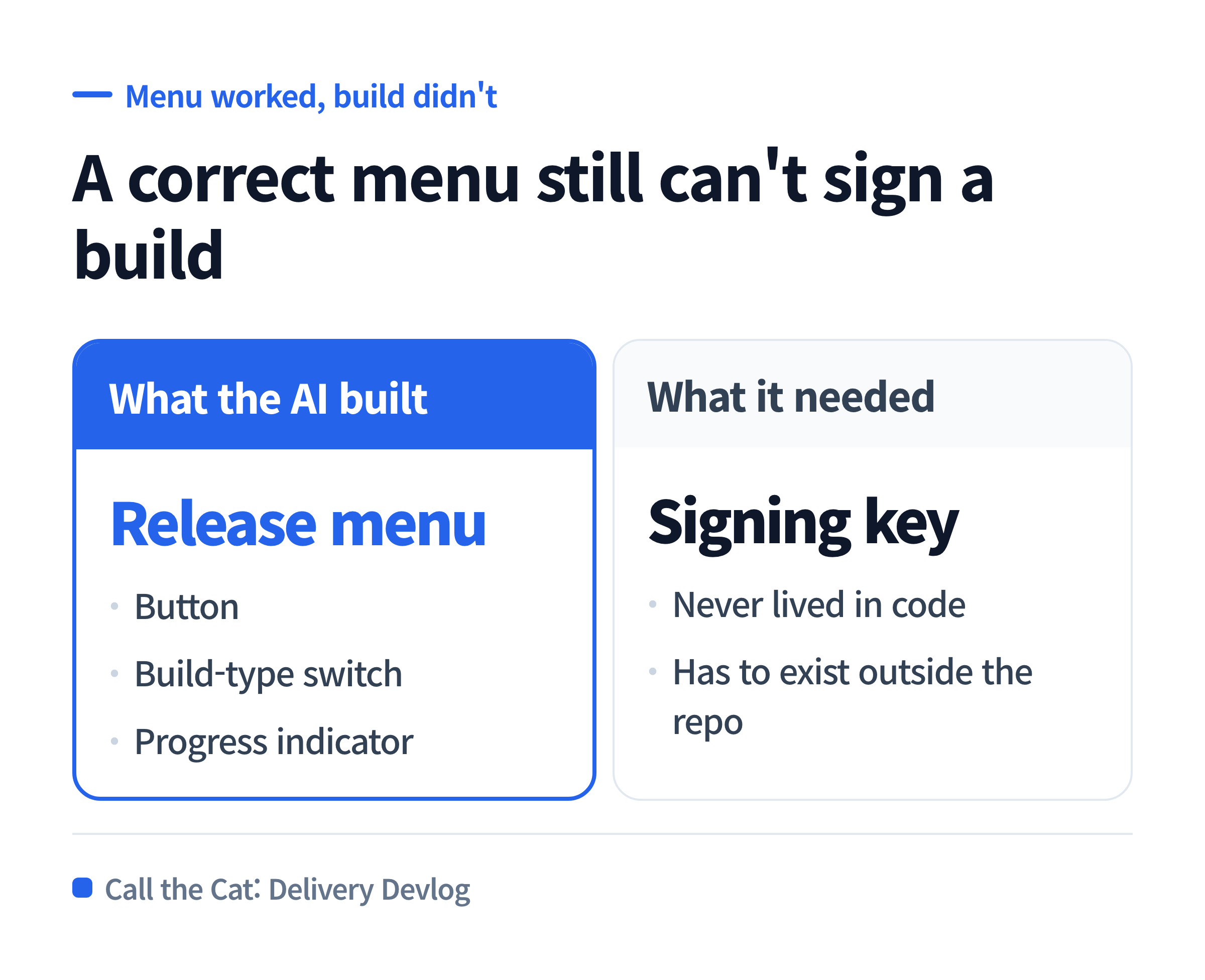
A build menu that compiles and displays is not the same as a build that succeeds.
The menu worked. The build didn’t.
The moment I hit “Build Release,” it failed — not with a code error, but with a signing error: no valid signing key found for this build type.
The AI had built the menu correctly. The button called the right build command with the right flags. What it couldn’t do was make a signing key exist, because a signing key isn’t code — it’s a file that has to be generated once, kept safe, and referenced from outside the repository.
This is the trap: everything the AI touched was correct, and the build still couldn’t finish, because the missing piece was never something code could produce.
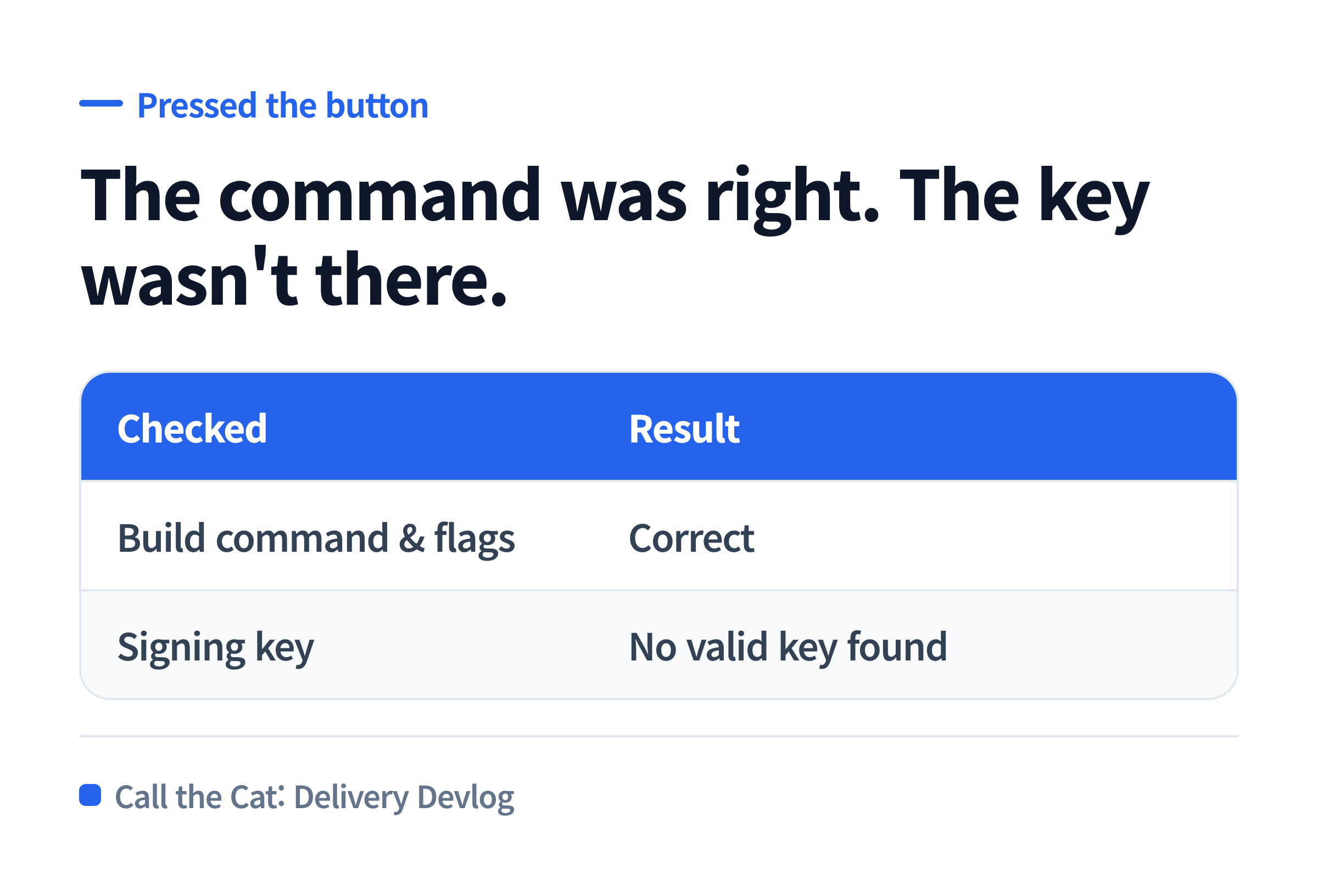
The build command was correct. The key it needed to sign with didn’t exist yet.
A short list of things that live outside your repository
Once I stopped asking the AI to “just fix the build” and instead asked “what does a release build need that isn’t in our code,” the list turned out to be short and concrete: the signing key file itself, generated once and stored somewhere safe; the key’s fingerprint, registered in the store console, matching the build that gets uploaded; store-side product and listing setup, which exists only in the console, not in the repo; and account-level permissions on that console for whoever uploads the build.
None of these are things an AI agent working inside your codebase can create for you. It can write the commands that use them. It cannot conjure the key or click the console buttons for you.
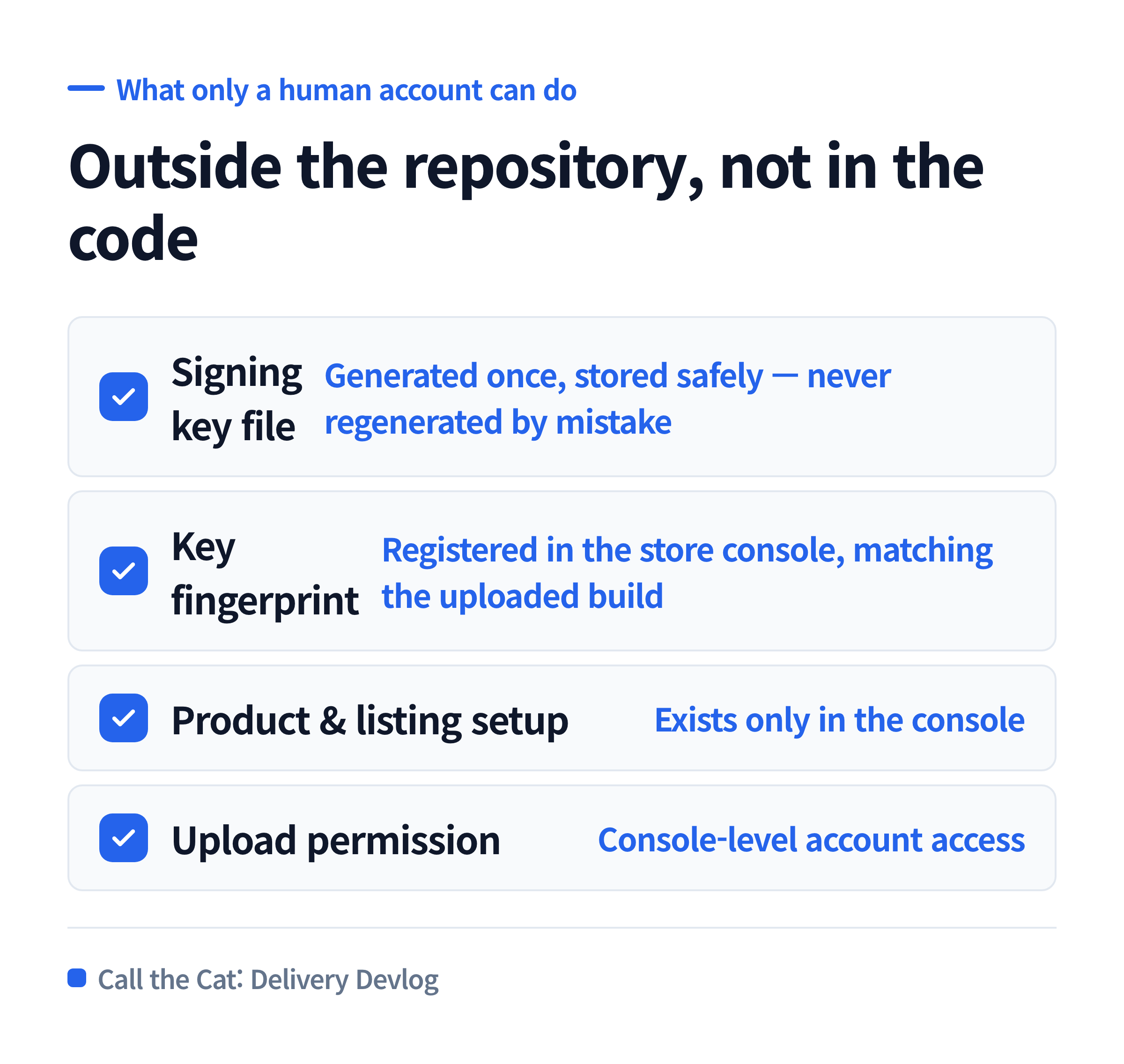
What a release build actually needs — split into what the AI can write and what only a human account can create.
What to copy — before you ask an AI to “fix the release build”
Before handing a release-build failure to an AI, confirm these first, since fixing code won’t touch any of them:
| Check | Why |
|---|---|
| Does the signing key file exist and is its location known | If not, no build command will succeed |
| Is the key’s fingerprint registered in the store console | A mismatch fails signing even with a real key |
| Does the account have upload permission for this app | Console-side, not code-side |
| Is the product/listing already created in the console | The build can succeed and still have nowhere to go |
If any of these is unresolved, the fix isn’t in the codebase, and asking the AI to “debug the build” again will keep landing on the same wall.
One line to hand the AI before a release build
“If this error is about a signing key, certificate, or console setting, don’t try to fix it in code. Tell me exactly which of those is missing and what I need to do outside the repository.”
That line stops the AI from treating an account-side problem as a code problem, which is what kept the build menu “look done” while nothing outside the repo had actually been set up.
Where this leaves things
The build menu the AI wrote was correct from the first version. The failure was never in that menu — it was in what the release process needed and never had: a signing key set up outside the code, registered in the right console, tied to an account with the right permissions.
None of that shows up as a code review comment. It only shows up when you press the button.
Solo dev of Call the Cat, shipped after 178 days
on Google Play
and Steam.
Now building Call the Cat: Delivery and Call the Cat: Galaxy, in public.
Leave a Reply