Call the Cat: Delivery — launch devlog
TL;DR: All green — tests, build, upload — only proves the pipeline ran without errors. It doesn’t prove the file you shipped actually contains your fix.
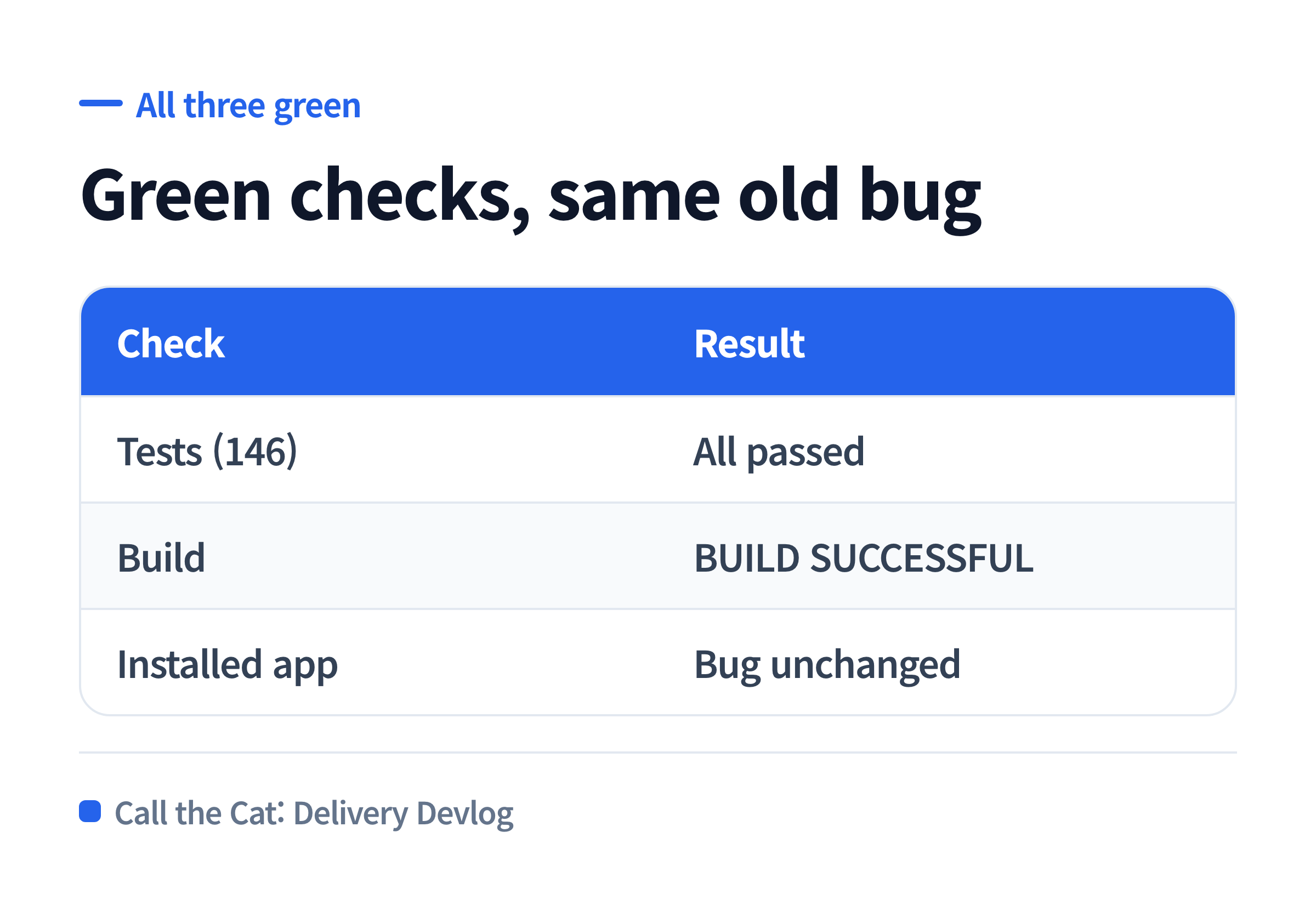
I fixed the bug, 146 tests passed, the build said BUILD SUCCESSFUL, I uploaded it — and the installed app still had the old bug.
I fixed the gray button. The store app didn’t change.
The buy button on our internal test build stayed unresponsive for a while after the screen loaded — it took too long to become tappable, and tapping it early did nothing. I fixed this locally by adding a signal that tells the game screen the checkout sheet had actually opened.
After the fix, I ran the tests. All 146 passed. The build finished with BUILD SUCCESSFUL. I uploaded the resulting app bundle to the store. The upload went through cleanly and the version number ticked up.
The freshly installed app had the exact same symptom.
What you fixed in the source and what actually ships in the build can quietly disagree.
I opened the app bundle and looked for myself
An Android App Bundle (AAB) is just an archive. Unzip it and you get the code that actually runs on the device. Our game is a web app wrapped for Android, so that archive contains both a bundled copy of the web code and the Android code (DEX) side by side.
I searched both of those for the name of the signal I’d just added. Neither one had it.
It was clearly in the local source. It never appeared once inside the uploaded file. The cause turned out to be simple: I had rebuilt the Android wrapper without rebuilding the web bundle first. The Android build packaged in a web bundle from an earlier build — one that didn’t include this fix.
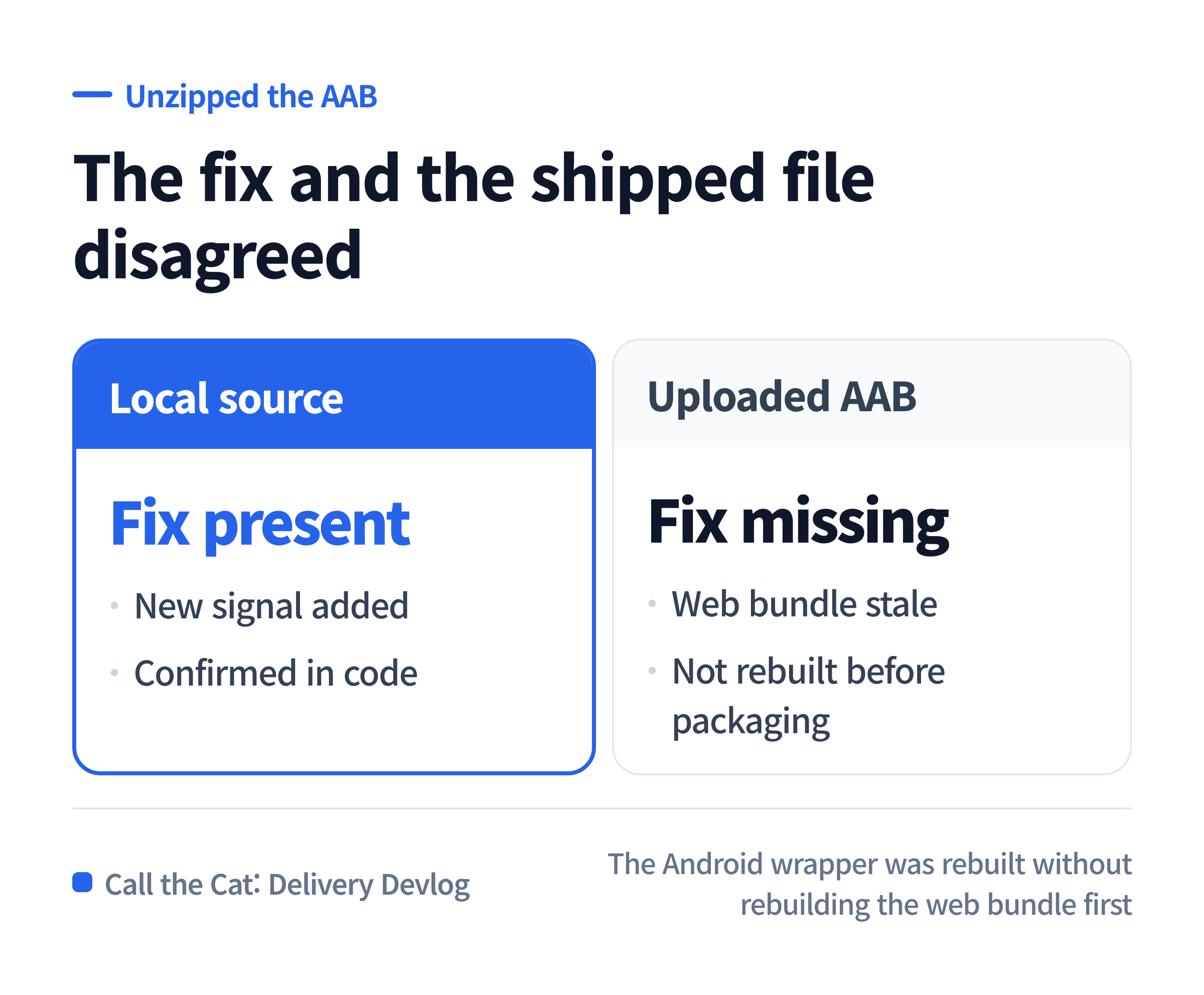
Where you fixed it (source), where you built it (the Android bundle), and where you shipped it (the store) came apart.
What “tests passed” actually meant here
Tests check the source code as it exists right now. The fix was in the source, so of course they passed. BUILD SUCCESSFUL wasn’t a lie either — the build process itself finished with no errors.
The problem is that neither one means “the code I just fixed is inside this specific output file.” Tests look at source. A successful build means the process finished. A successful upload means a file reached the store. All three can be green at once while a stale intermediate artifact — in this case, an old web bundle — quietly makes the final file out of date.
I saw three green lights and assumed that meant the fix was in. I only actually checked after building #13: I searched the new file for the signal’s name, and this time it was in both the web bundle and the DEX.
What to copy — confirm your fix is in this file before you upload
Before uploading to the store, pick one word from your fix that you can search for directly — a function name, a string that shows on screen, the name of a new signal. Then look for it inside the finished build artifact itself.
| Step | Do this | If it’s missing |
|---|---|---|
| 1 | Pick one word that only exists because of this fix | — |
| 2 | Unzip the build artifact (AAB / APK / IPA) or scan its strings | If it won’t open, that’s a build-tool problem |
| 3 | Search for that word inside the artifact | A stale intermediate artifact — rebuild everything from a clean state |
For an Android app bundle, this is exactly two commands. Unzip it, then search the unzipped code for your word.
unzip -o your-app.aab -d unzipped
grep -rl "the_word_you_added" unzipped
Any match means it’s in there. Zero matches means the artifact is stale, and uploading it will ship the exact same symptom again.
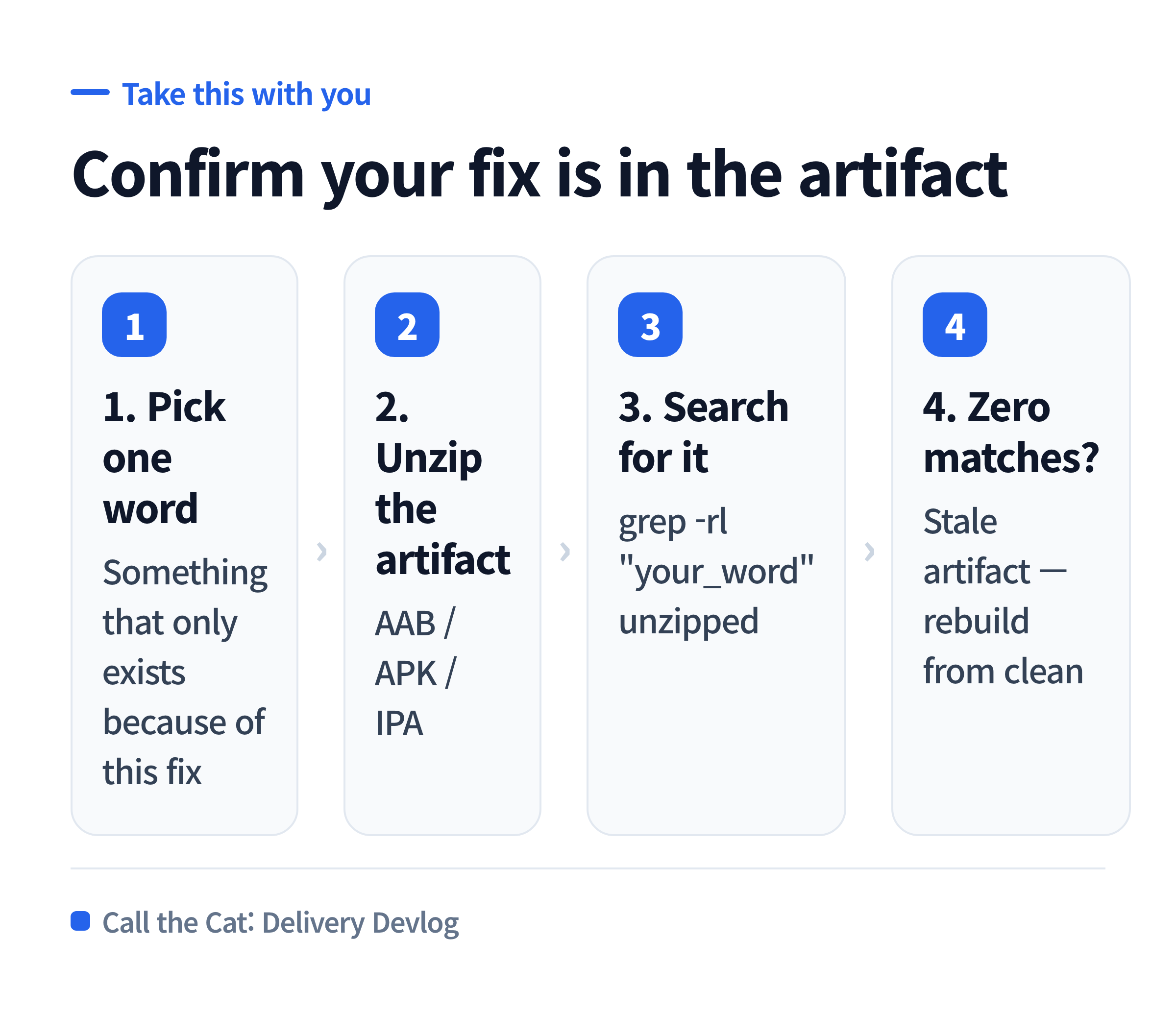
Unzip the artifact and search for the word you just added — three steps, done before uploading.
One line to hand the AI before trusting a green build
“Once the build finishes, pick one visible word from this fix and confirm it actually exists inside the finished artifact. If it’s missing, don’t upload — find out why it didn’t make it in first.”
This line blocks exactly one thing: reading “tests passed, build succeeded, upload complete” as “my fix is live.” This time all three were green, and the uploaded file still ran old code.
Where this leaves things
A passing test means the source is correct. A successful build means the process finished. A successful upload means a file reached the store. None of those three means the code you just fixed is inside that file.
The check turned out to be simple — open the artifact and search for the word yourself. I only did that after uploading build #12. From #13 onward, I do it before uploading. What’s confirmed so far is that the signal is present inside build #13’s artifact. Whether the checkout sheet opens and a test purchase completes on a real device is still something I have to check separately.
Solo dev of Call the Cat, shipped after 178 days
on Google Play
and Steam.
Now building Call the Cat: Delivery and Call the Cat: Galaxy, in public.
Leave a Reply