Call the Cat: Delivery — launch devlog
TL;DR: A shortcut button’s icon kept flickering. The image file was fine and the path was fine. The refresh code was assigning the same image path again on every redraw — and assigning the same value is not free.
I thought the image was the problem
The icon on the bottom-right shortcut button kept flickering. When an image request failed, it stayed as a broken-image placeholder.
I suspected the image file and the network first. The file was intact. The path was right.
The cause was the refresh code. Every time the screen redrew, it was writing the same path into the icon again.
Assigning the same value is still work
In a browser, assigning an image source re-runs the whole image loading procedure even when the address is identical to what was already there.
It feels like nothing should happen — the value is the same. It does not work that way. It requests again and paints again. For a brief moment in between there is an empty state, and that is what the eye reads as a flicker. When the request fails, the empty state stays and you get a broken image.
What made it bad is how often refreshes happen. The screen redraws whenever state changes, and the icon was being re-fetched every single time. In a game, state changes constantly, so the flickering never stopped.
The fix is simple. Assign only when the path has actually changed — one small function, and identical values do nothing. Elements that get rebuilt from scratch each time, like list rows, are not the target. Only long-lived elements need this.
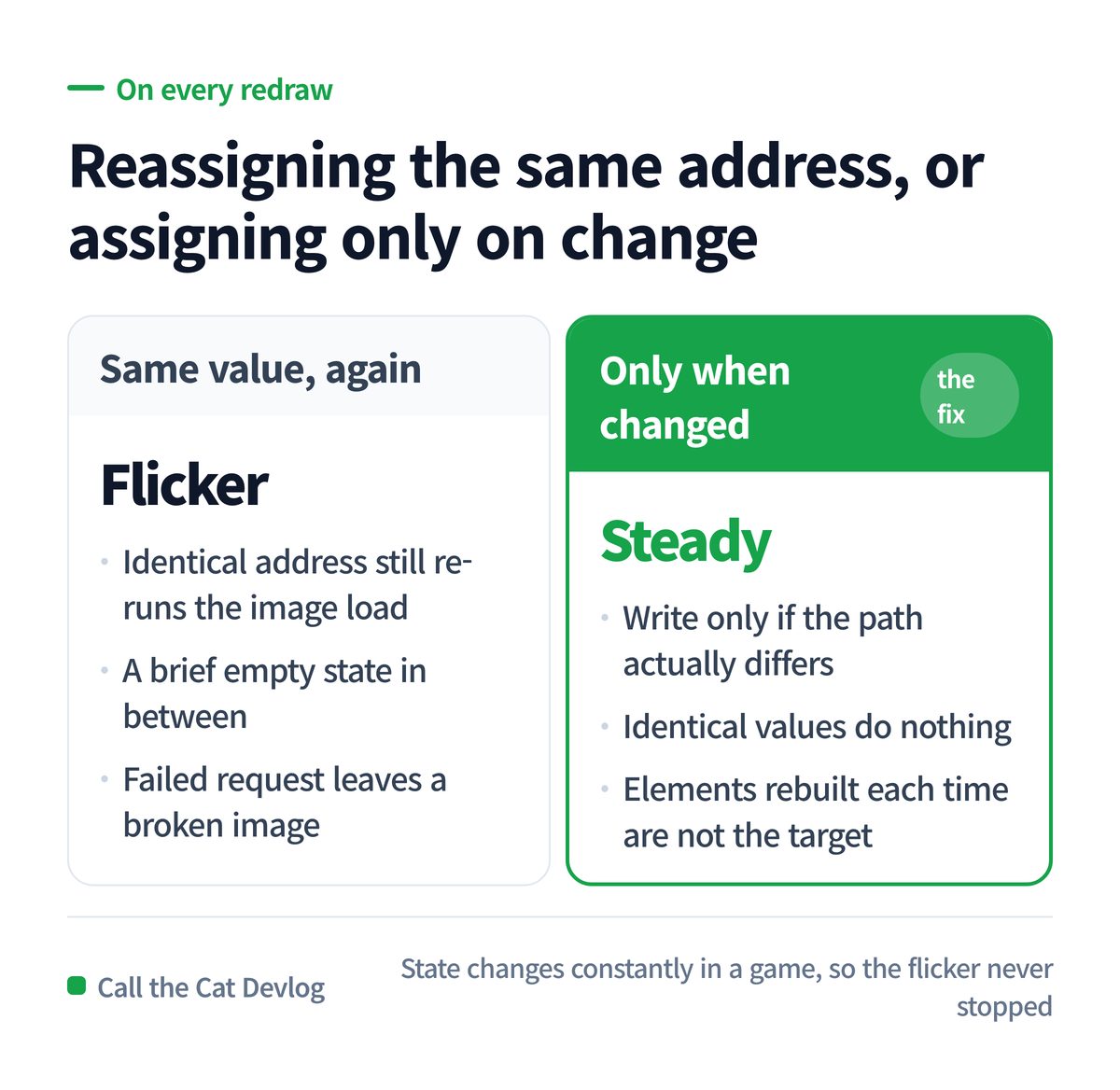
Reassigning an identical address versus assigning only when it changed.
What happens when an AI writes “redraw”
Ask an AI to “refresh the screen when state changes” and it picks the most certain method: redraw everything.
That is not wrong code. The screen is always current and nothing is ever missed. The tests pass. Judged by the resulting values, it is perfect.
But what a person sees is not the resulting value — it is the act of redrawing. The cost of writing the same value again, the empty gap in between, the placeholder left behind on failure: tests do not look at any of that.
That is what happened here. The code behaved as intended and the tests passed. The flicker was only found when a human looked at the screen. Ask an AI “does it work?” and it answers pass. Ask “how does it look?” and it cannot answer at all.
One more thing surfaced in the same session. The script that checks release readiness kept reporting an already-solved item as blocked. The setting lived in a different env file, and the readiness script was only reading the default one. The checker and the actual configuration were looking at different places. A checker’s pass or fail is not something to take at face value either — look once at what it is reading.
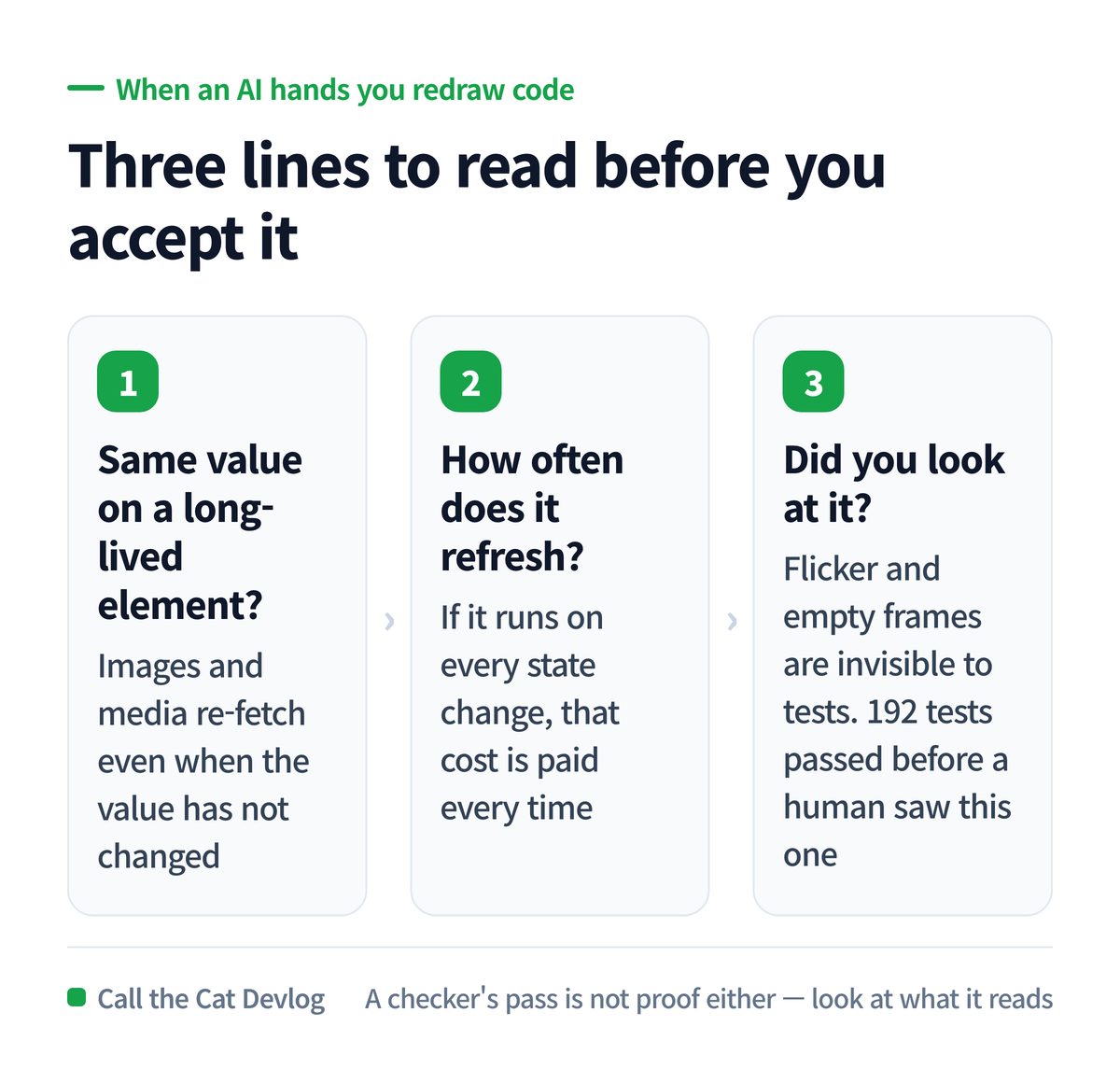
Same value, refresh frequency, and the one tests cannot see — did you look at it.
Copy this — three lines for redraw code
When you get “redraw” code from an AI, look at these three.
| Order | What you check | Why |
|---|---|---|
| 1 | Does it assign the same value to a long-lived element? | Images and media re-fetch even when the value is identical |
| 2 | How often does the refresh run? | If it is every state change, that cost is paid every time |
| 3 | Did you look at it? | Flicker and empty frames are invisible to tests |
Give the AI this one sentence before asking for screen refresh code.
Only apply a change to the screen when the value actually differs. If it is the same,
do nothing — and tell me which elements are rebuilt each time and which ones stay alive.
That sentence stops “redraw everything” from becoming the default.
At a glance
| Item | Detail |
|---|---|
| Symptom | Shortcut icon flickered constantly; broken image on request failure |
| Suspected | Image file and network |
| Actual cause | Same path reassigned to the icon on every redraw |
| Why it matters | Assigning an identical address still re-runs the full image load |
| Fix | Assign only when the path changed; exclude elements rebuilt each time |
| Also found | Readiness script read a different env file and reported a solved item as blocked |
| Verified | 192 game tests passed, type check, web build, workspace check |
| Not verified | Visual or video confirmation on a real device that the flicker is gone |
Solo dev of Call the Cat, shipped after 178 days
on Google Play
and Steam.
Now building the sequel, Call the Cat: Galaxy, in public.
Leave a Reply