Call the Cat: Galaxy Build Log · Devlog #17
I do not write code and I cannot read it. Call the Cat: Galaxy, the Unity sequel to a game I already shipped, is written line by line by AI agents. My job is to say what I want, set the rules they work under, and check whether what comes back is actually right.
This one is about a check tool that passed, and a glyph that broke anyway — on one platform only.
Same build, a box on one platform and a star on the other
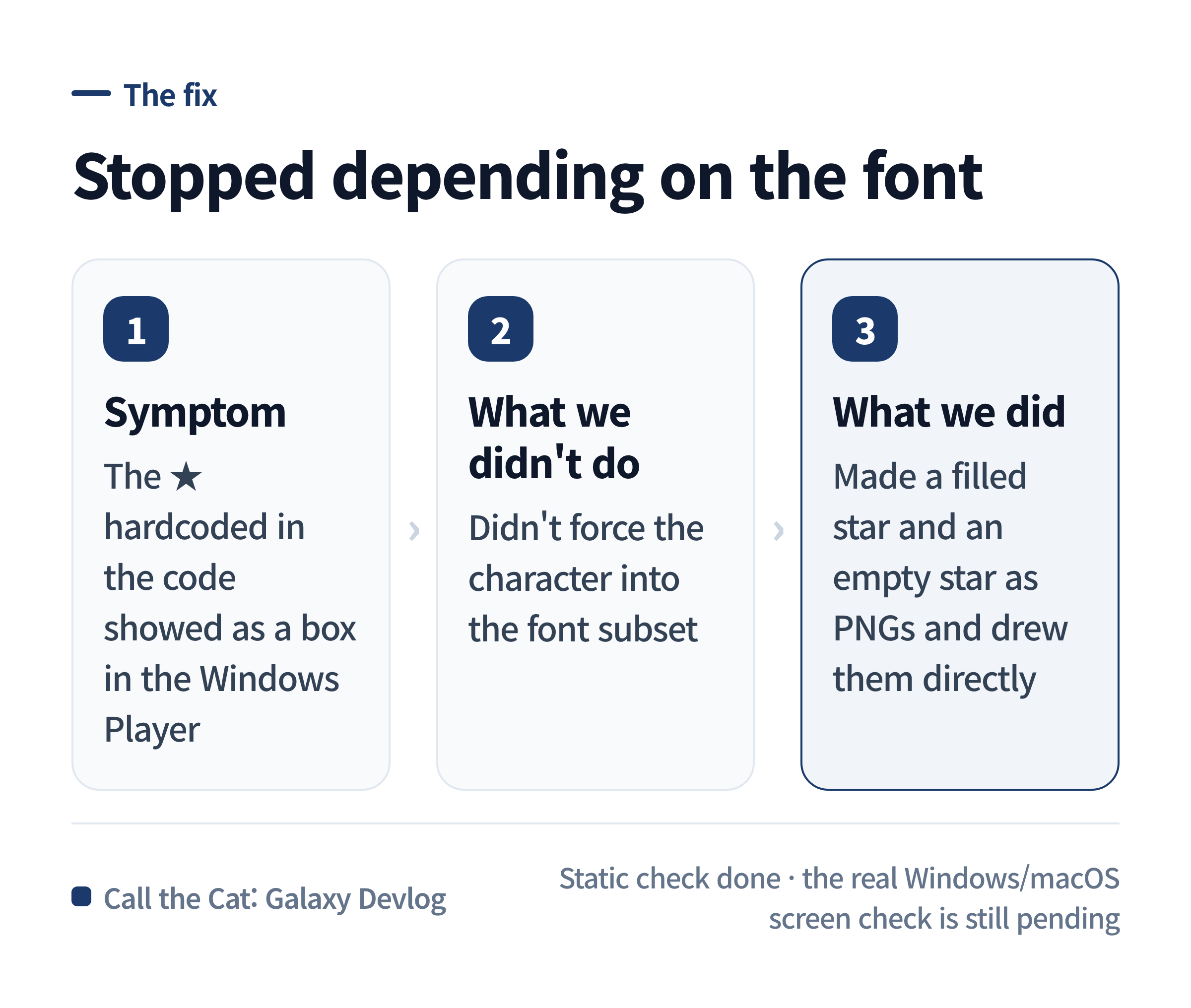
The map screen has a star icon that fills up as you conquer planets. On macOS it drew fine. Run the exact same build in the Windows Player and the same spot came out as an empty box: □.
Both platforms ran identical code. The only difference was whether a font existed that could draw that character. If you’re new to this, it’s easy to assume “the text isn’t showing” means the font file is missing entirely. That wasn’t it. The font was there — the specific character just wasn’t inside it.
The cause was a star character hardcoded in the code
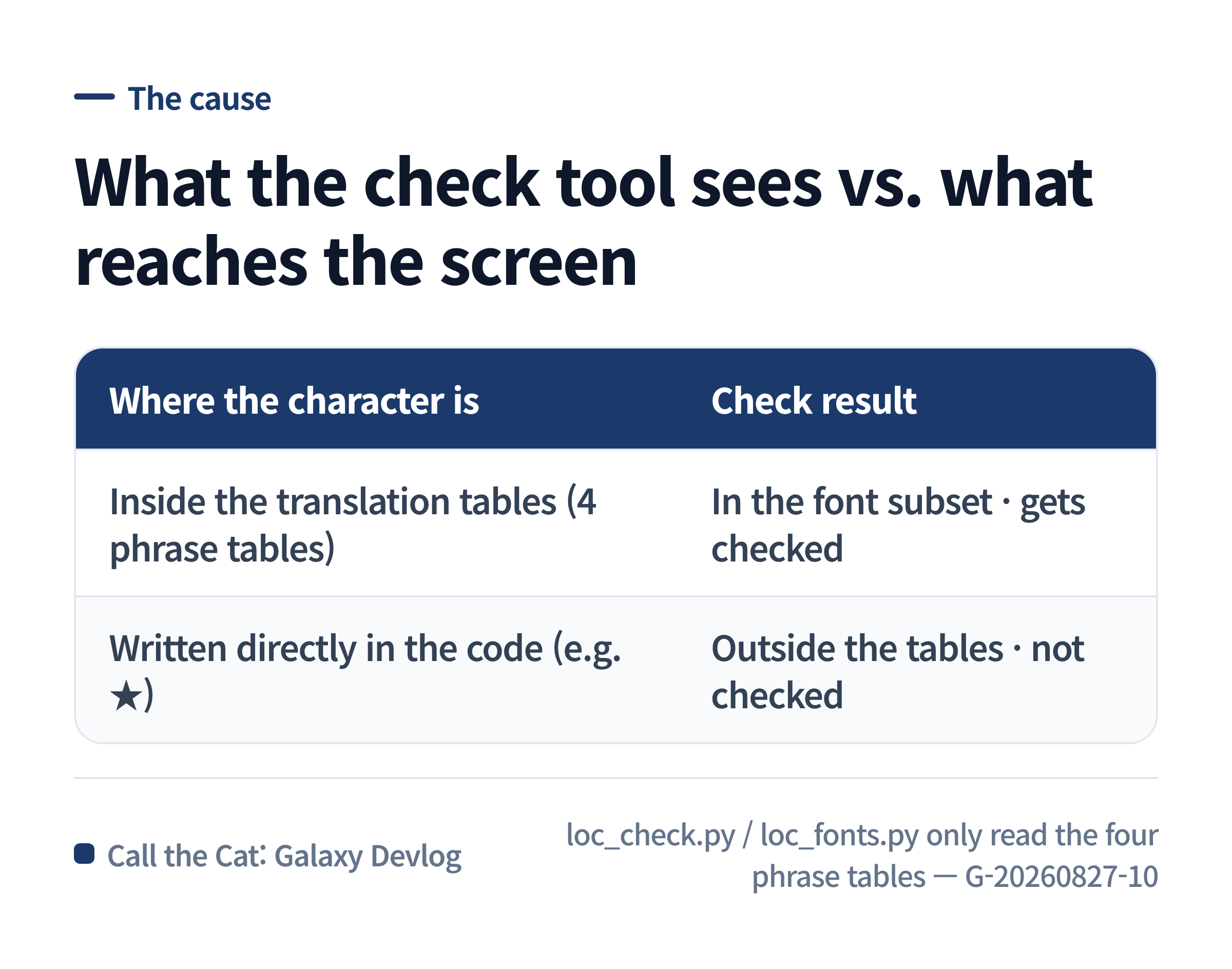
The map star isn’t a translated string. It’s written straight into the code as the Unicode character ★. Meanwhile, this project doesn’t ship whole font files. It collects only the characters that actually appear in the 12-language translation tables and cuts a per-language font subset from them. That’s the subset tool I wrote about in Galaxy13.
★ is not in any translation table. So the tool that builds the subset never saw it, and the tool that checks for missing translations never saw it either. On macOS the operating system quietly found a fallback font that had a star and drew it. The Windows Player didn’t do that substitution, so all that was left was an empty box. Both platforms reported “check passed” — but “passed” meant something different on each one.
The check tool’s scope and the actual code’s scope were different
Our localization checks (loc_check.py, loc_fonts.py) only read four phrase tables. Not every character that ends up on screen goes through those tables. A character written directly in the code, like this star icon, isn’t in any table, so a check built around the tables has no way to see it.
“The static check passed” means “the content in the tables is fine.” It does not mean “every character that appears on screen is fine.” Without that distinction, you keep missing problems that only show up on one specific platform, even after the check comes back green.
The fix was turning the character into a picture
Instead of adding the character to the font, the fix was to stop the star icon from being a character at all. We made a filled star and an empty star as transparent PNGs and had the map code draw the image directly based on progress. It no longer depends on whether a font happens to contain that character.
This change is done as far as static checking goes. Whether the star now renders correctly on real Windows and macOS screens still has to be confirmed by hand.
A question to ask before you trust the check
If you’ve added a localization-check tool to a multi-language project, ask this before you trust a green result:
Is this character or symbol on screen coming through the translation tables, or is it written directly in the code? If it’s the second one, confirm the check tool is even looking at that character in the first place.
If you’re drawing an icon or a symbol as a text character, whether that character is actually inside each language’s font subset is a separate thing from the translation check. A tool’s “pass” is only a pass within what the tool looks at.
What this post comes down to
The same code looked different on two platforms not because the code was wrong, but because the range the check tool looks at and the range of characters that actually reach the screen were not the same. When you trust a check tool an AI built, start by asking what it treats as its input — that’s what tells you how far “the check passed” actually reaches.
Worth reading together
The subset tool this whole thing hangs on — how the check script decides what to look at, and how the glyphs for 12 languages got cut down — is covered here.
Galaxy13 – 12 Languages, and the Fonts Had to Be Cut Down
And why a green static check isn’t the same as having checked it:
Galaxy05 – “Fixed” and “I Checked” Are Not the Same Thing
Solo dev of Call the Cat, shipped after 178 days on Google Play and Steam. Now building the sequel, Call the Cat: Galaxy, in public.