I Gave Two AIs Separate Folders
🐱 Galaxy Devlog #01 · Read the whole build log
I shipped my first game earlier this year.
Now I’m building the sequel in Unity.
Somewhere along the way I started running
two AI coding agents instead of one.
Codex and Claude.
Double the hands sounded great.
It wasn’t, at first.
Both agents had the same project open.
One would edit a file,
the other would open that same file a minute later
with no idea it had happened,
and quietly undo the work.
Nothing crashed. Nothing threw an error.
Things just kept silently going backwards.
This post is about how I fixed that —
not with better prompts,
but with folders.
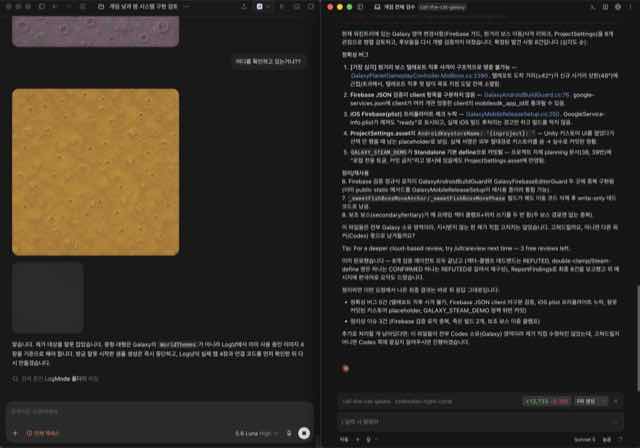
The problem wasn’t "which one is better at what"
My first instinct was to split by capability.
Give the hard architectural work to one,
the repetitive mechanical work to the other.
That collapsed within days,
for a reason that seems obvious in hindsight.
Hard work and easy work live in the same files.
A single controller script holds both
the tricky state machine
and the boring getter you want regenerated.
Split by capability and both agents
end up in the same file anyway.
So I changed the axis.
Not "who is better at this,"
but "who is allowed to touch this."
Capability is a fuzzy line.
Ownership is a path on disk.
Cutting the game in two
The sequel happens to contain
two kinds of play inside one app.
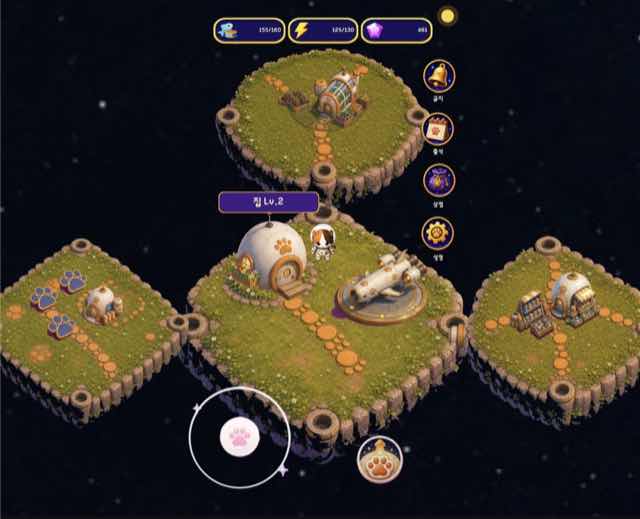
One is the main game:
a galaxy map, pick a planet, launch,
do a short mission, plant a flag, come home.
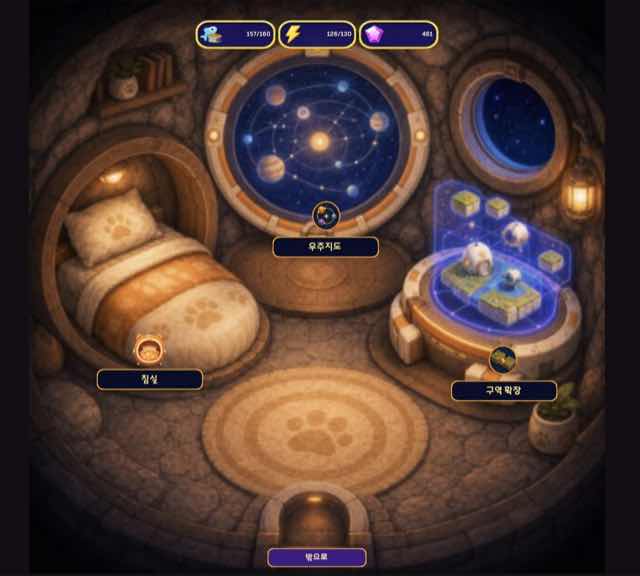
The other is a separate mode
you enter by lying down on the bed
inside your home base.
That one is the second game I made in GameMaker,
ported over to Unity.
That split already existed in the fiction.
I reused it as the line for code ownership.
The main game lives only under Assets/Galaxy.
The ported mode lives only under Assets/LogMode.
I pushed the boundary into the code itself, too.
Everything in the ported mode sits inside
the namespace CallTheCat.LogMode.
You don’t have to open a file to know whose it is.
The type name tells you.
As of August 24, 2026, that’s
97 C# files on the main side
and 83 on the ported side.
Almost an even split — partly luck,
and partly the fact that a ported game
brings its own complete world with it.
Splitting isn’t enough — you need exactly one door
If you only split,
the two halves stop knowing the other exists.
But they do have to connect.
You walk to the bed, you go in,
you play, you come back out.
So I built one door.
You enter from the bed in the home base.
On the other side, the ported mode’s own start screen
got a new portal — framed in-fiction as
waking up from the dream — that brings you back.
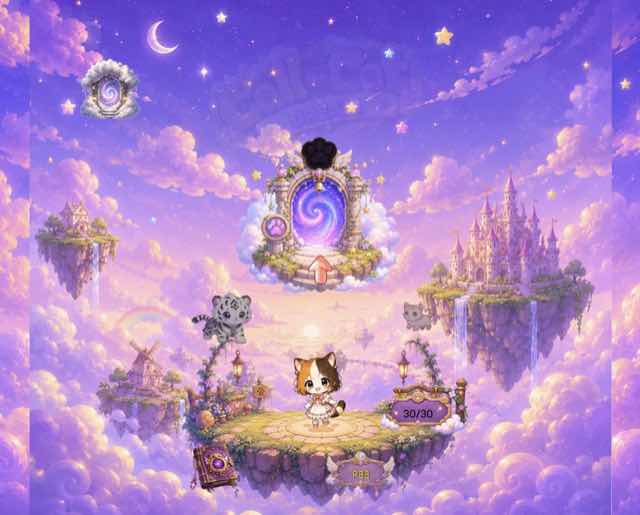
That’s the whole route:
home bed
→ entry bridge
→ ported-mode lobby
→ a run
→ result payload
→ reward bridge
→ home
No second path. No shortcut.
If something needs to cross, it crosses here.
And one more rule on top,
which turned out to matter more than the door itself.
The ported mode cannot write the save file.
When a run ends,
it hands back a small result payload —
what happened, what was earned.
The main game reads that,
decides what the reward actually is,
and writes it.
Food, energy, gems, attendance,
cloud sync, ads, purchases:
all owned by one side.
The temptation to skip this is strong.
It’s two lines to just call the save system directly.
But the moment both halves write the same save file,
you’re back to the original problem —
two writers, one resource, no coordination —
except now the thing being corrupted
is the player’s progress instead of my afternoon.
There’s a matching cleanup rule for the same reason.
On every exit path, including failures,
the ported mode has to restore Time.timeScale,
input state, on-screen joystick visibility,
camera ownership, and audio.
Not just the happy path.
A mode that hands control back in a broken state
is worse than one that never gives it up.
Edit in parallel, run Unity alone
With ownership split,
writing code can happen simultaneously.
Different drawers.
Unity is a different story.
When Unity re-imports assets or recompiles,
it touches the whole project.
Two agents triggering that at once produce garbage —
or worse, produce something that looks fine
and fails at build time.
So the rule is:
source editing is parallel,
Unity import and build are serialized.
One at a time, and the others keep editing while it runs.
Git follows the same principle.
This project does not use git add -A.
That command will happily sweep up files
the other worker is still mid-thought on.
Instead each side stages an explicit list
of the paths it actually touched.
It’s slower to type,
and it has never once destroyed someone else’s work.
Assembly definition files get the same treatment.
Nobody adds or changes an .asmdef during ordinary work.
A named Unity assembly can’t freely depend
on the default Assembly-CSharp,
so a casual .asmdef edit
turns into a migration project.
That’s a task you schedule,
not a thing you do in passing.
When you need someone else’s drawer, stop and write it down
Sooner or later you hit a problem
that can only be solved outside your own folder.
This is the most dangerous moment in the whole system.
"It’s one line, I’ll just fix it"
is exactly how the boundary dies.
So the rule is: stop there.
Write down which file, which method, and why —
into a shared document.
The owner of that folder reviews it
and makes the change themselves.
One urgent thing gets slower.
In exchange, nothing gets quietly broken
by someone who didn’t know what that line was for.
The old project is read-only
The sequel pulls in a lot of art and configuration
from the first game.
I wanted a unified asset set so I could move faster,
which means the old project gets opened often.
Hard line there too.
The previous project is reference-only. Never edited.
It’s already shipped.
People can play it right now.
(In honesty — there probably aren’t many.
My user analytics have never worked properly,
so I genuinely don’t know.
But "probably nobody is playing it"
is not a reason to start editing a live build
while distracted by a different project.)
Two months in
I started the sequel in late July.
By August 24 the repository has 414 commits,
and 374 of those are from August alone.
Roughly fifteen a day.
That number isn’t there because AI types fast.
It’s there because nobody waits.
One side tunes a boss in the main game
while the other fixes combat in the ported mode.
Zero overlapping files means the sentence
"hang on, I have that file open"
never gets said.
There’s a cost, and it’s real.
Separated folders mean building the same thing twice.
When I added a day/night cycle,
the sun-and-moon indicator got implemented
once on each side.
Merging them would mean less code
and a hole in the boundary.
I took the duplication.
If you’re starting out
If you’re planning to run more than one AI agent
on a single codebase,
the first thing to decide is not your prompt.
It’s your folder layout.
Work through it in this order.
First, check whether the project can actually be cut
into two non-overlapping halves.
If it can’t, you aren’t ready for two agents yet.
One agent with good context
beats two agents fighting over the same file.
Second, if it can be cut, name an owner for each half
and build exactly one connection point between them.
Third, find anything that must have a single source of truth —
saves, payments, analytics,
anything the player would notice losing —
and give it entirely to one side.
Not shared. Owned.
Finally, write down the operations that break
when two people do them at once.
For me that was Unity’s import and build.
Every project has at least one.
Yours might be a database migration,
a code generator, a package resolver.
Find it before it finds you.
Next up: what happened when I actually started porting that second game —
and why the rule document now opens with "do not improve anything."
Solo dev of Call the Cat, shipped after 178 days
on Google Play
and Steam.