Call the Cat: Delivery — launch devlog
TL;DR: Login and payment share the same account and the same app, but they check completely different things. Fixing one checklist does nothing to the other.
Both Google login and the paid purchase button were broken at the same time. I asked the AI to fix “Google integration” as one task. That was the mistake.
I handed off “login and payment are both broken” as one ask
Two things failed at once in our internal test build: Google account sign-in, and the paid-purchase button, which stayed unresponsive for far too long. I read these as one problem — “Google integration must be incomplete somewhere. Fix the signing or auth setup and both should clear.”
So I gave the AI a single instruction: “get Google login and payment working.” For the next few days, every change touched login-side settings — registering signing fingerprints in the console, re-checking auth credentials. Login slowly improved. Payment didn’t move at all.
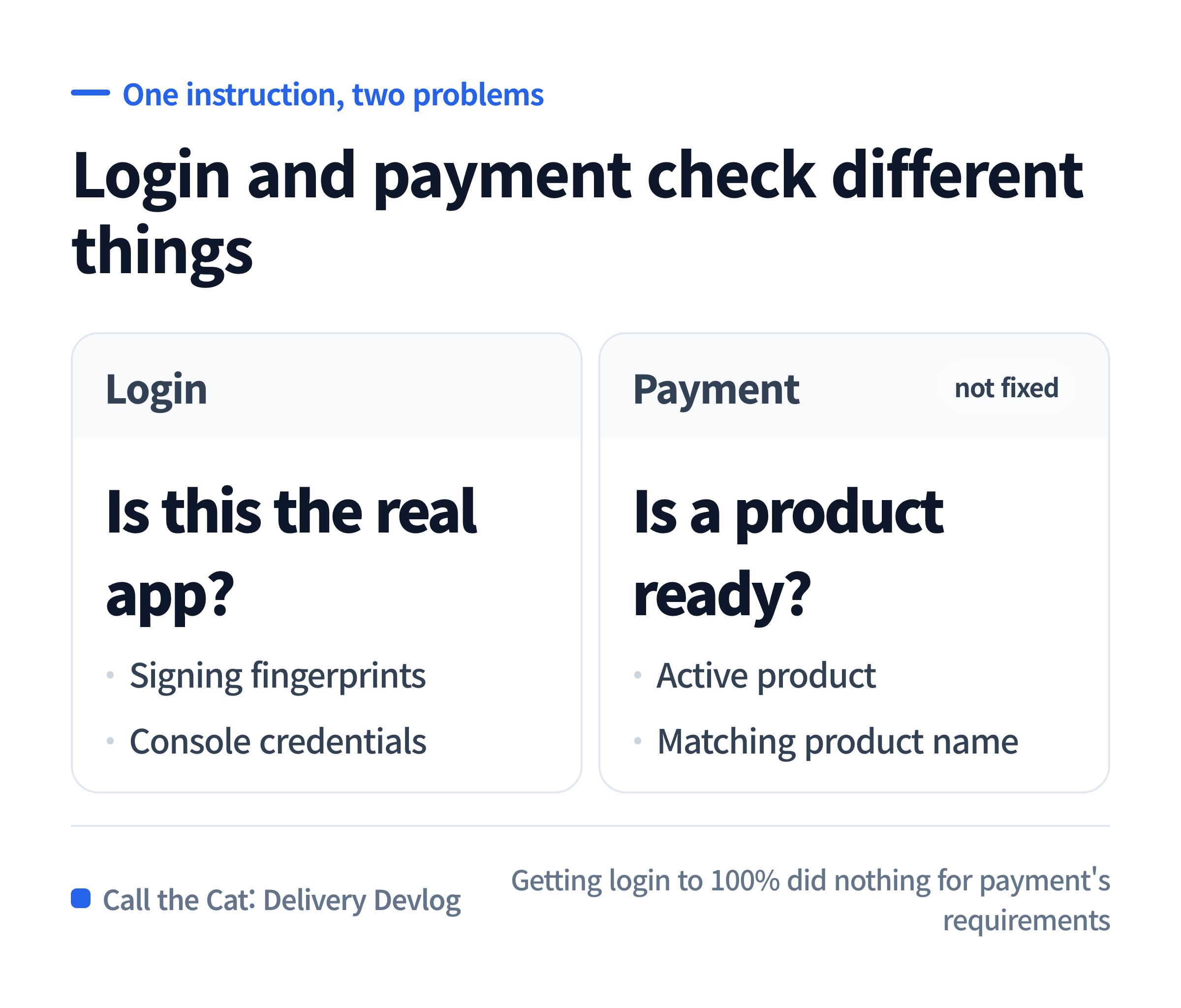
Login and payment look like one “Google integration” task, but they need entirely different things to be ready.
Login and payment check completely different things
Login answers “is this really the app it claims to be?” That means the fingerprint the app is signed with, and the credentials registered in the console, have to match. In our case there are two fingerprints — one from signing it directly as the developer, one from the store re-signing it before distribution. Both need matching credentials in the console before login will pass.
Payment doesn’t look at any of that. Payment answers “is there a purchasable product ready?” The product has to exist and be active in the console, the test account has to be registered as a payment tester, and — critically — the product name the app’s code requests has to match the product name in the console exactly, character for character.
Getting login to 100% does nothing for any of payment’s requirements. These were two separate rooms to clean, and I kept cleaning only one of them.
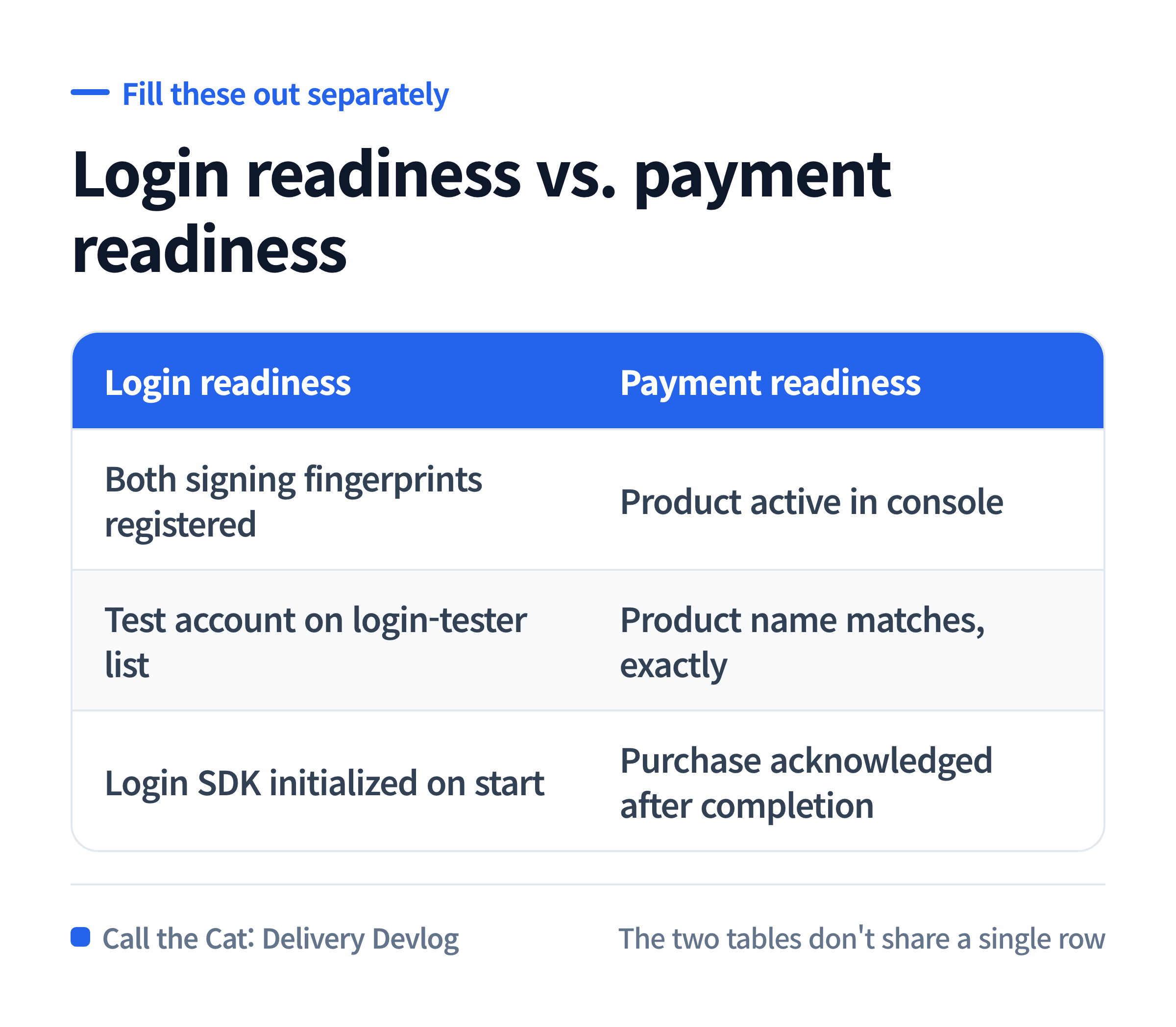
Login readiness and payment readiness don’t share a single requirement.
What was actually blocking it was one mismatched name
Running our release-check script kept flagging payment as blocked. Digging into why: the app’s code was requesting a product named ad_free. The product actually registered in the console was named ad2.
The app was asking for a product that didn’t exist. The console couldn’t find a match, so the price lookup failed at the first step, and the buy button stayed stuck “preparing” forever. This had nothing to do with login.
Fixing it meant matching one string. I’d spent days looking somewhere else because I’d assumed it was a login problem.
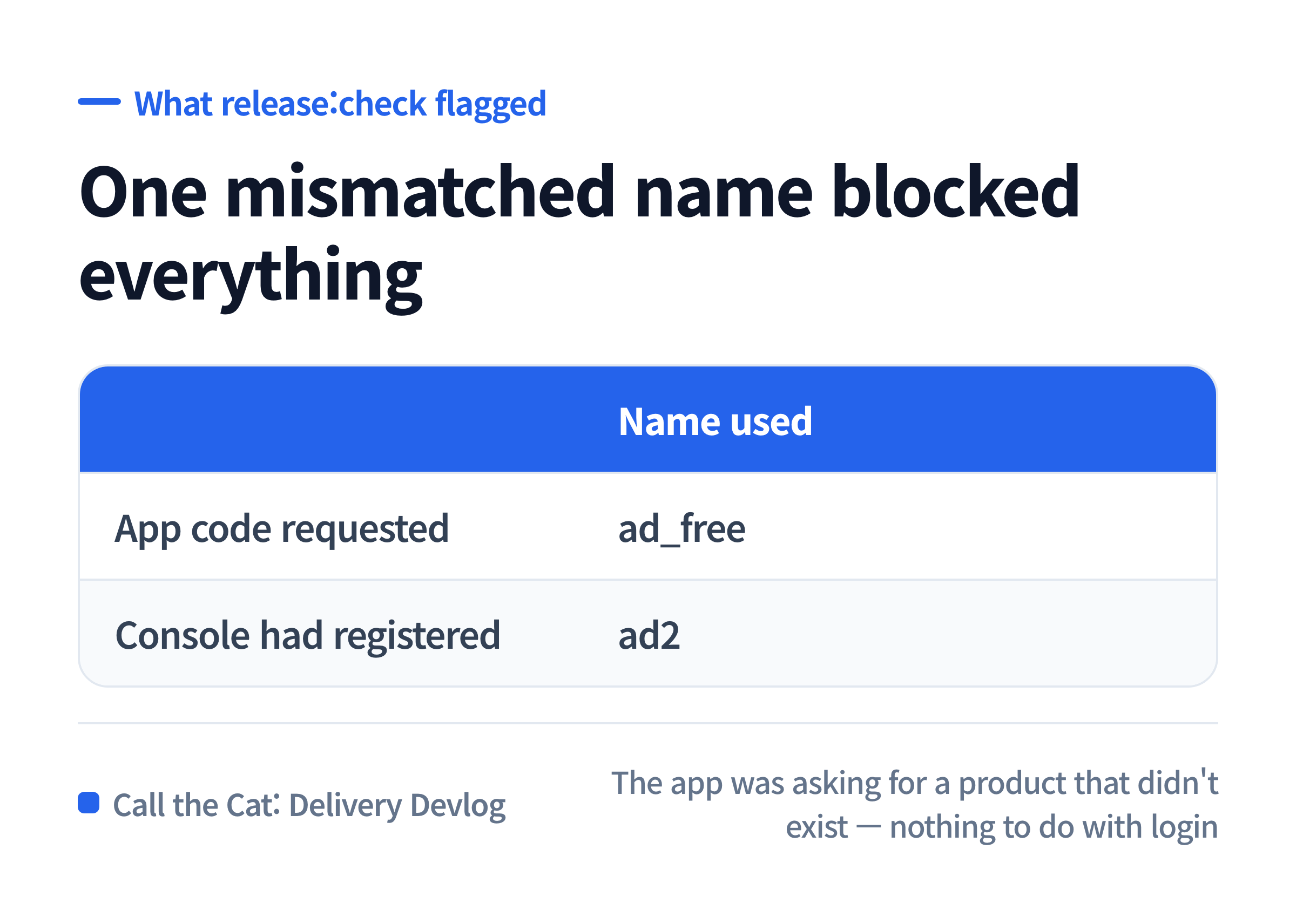
What happens when the product name in your code and the product name in the console don’t match.
What to copy — check login readiness and payment readiness separately
Before handing this to an AI, fill out both of these tables yourself. One being all green tells you nothing about the other.
| Login readiness | |
|---|---|
| Both app signing fingerprints (developer signing + store re-signing) registered in console credentials | |
| Test account is on the login-tester list | |
| Code actually initializes the login SDK on app start |
| Payment readiness | |
|---|---|
| Product is registered and active in the console | |
| Product name in app code == product name in console, exact match | |
| Test account is registered as a payment (license) tester | |
| Code acknowledges the purchase after it completes |
The two tables don’t share a single row. “Login works, so payment should be close behind” isn’t a real inference.
One line to hand the AI before asking for “Google integration”
“Treat the login problem and the payment problem separately. First show me each one’s own checklist of what needs to be ready, and point out which items are currently unmet. Don’t bundle them together as one ‘Google integration’ task.”
Say “make Google work” as one sentence, and the AI approaches it as one thing too. Asking for the two lists separately is what makes the unfinished room visible.
Where this leaves things
Google login and Google payment share an account and an app, but they check different things — login checks whether the signing matches, payment checks whether a purchasable product is ready. The payment problem we spent days on had nothing to do with login: it was one mismatched string between the app’s code and the console.
If we’d split the two problems from day one, the product-name mismatch would have surfaced on day one too. What’s confirmed so far is that both checklists now match between the code and the console. Whether login and payment complete in sequence on a real device is still something I have to verify.
Solo dev of Call the Cat, shipped after 178 days
on Google Play
and Steam.
Now building Call the Cat: Delivery and Call the Cat: Galaxy, in public.
Leave a Reply