Galaxy Devlog #10 · Read the Galaxy build log
I do not write code and I cannot read it. Call the Cat: Galaxy, the Unity sequel to a game I already shipped, is written line by line by AI agents. My job is to say what I want, set the rules they work under, and check whether what comes back is actually right.
This one is about fire missing a cat that was standing still.
The fire went past the player character
The player character in our game is a cat. A fox boss is supposed to fire a ranged fire attack at the cat, but even when the cat stood in place, the fire came out to the side. The work log records it as roughly an 80% miss rate on a stationary target.
It was not a syntax error or a compile error. It was a case of the same position being expressed in two different coordinate systems. If you are new to this, the thing to understand first is that “the position you see on screen” and “the position the game calculates in world space” are not always the same number.
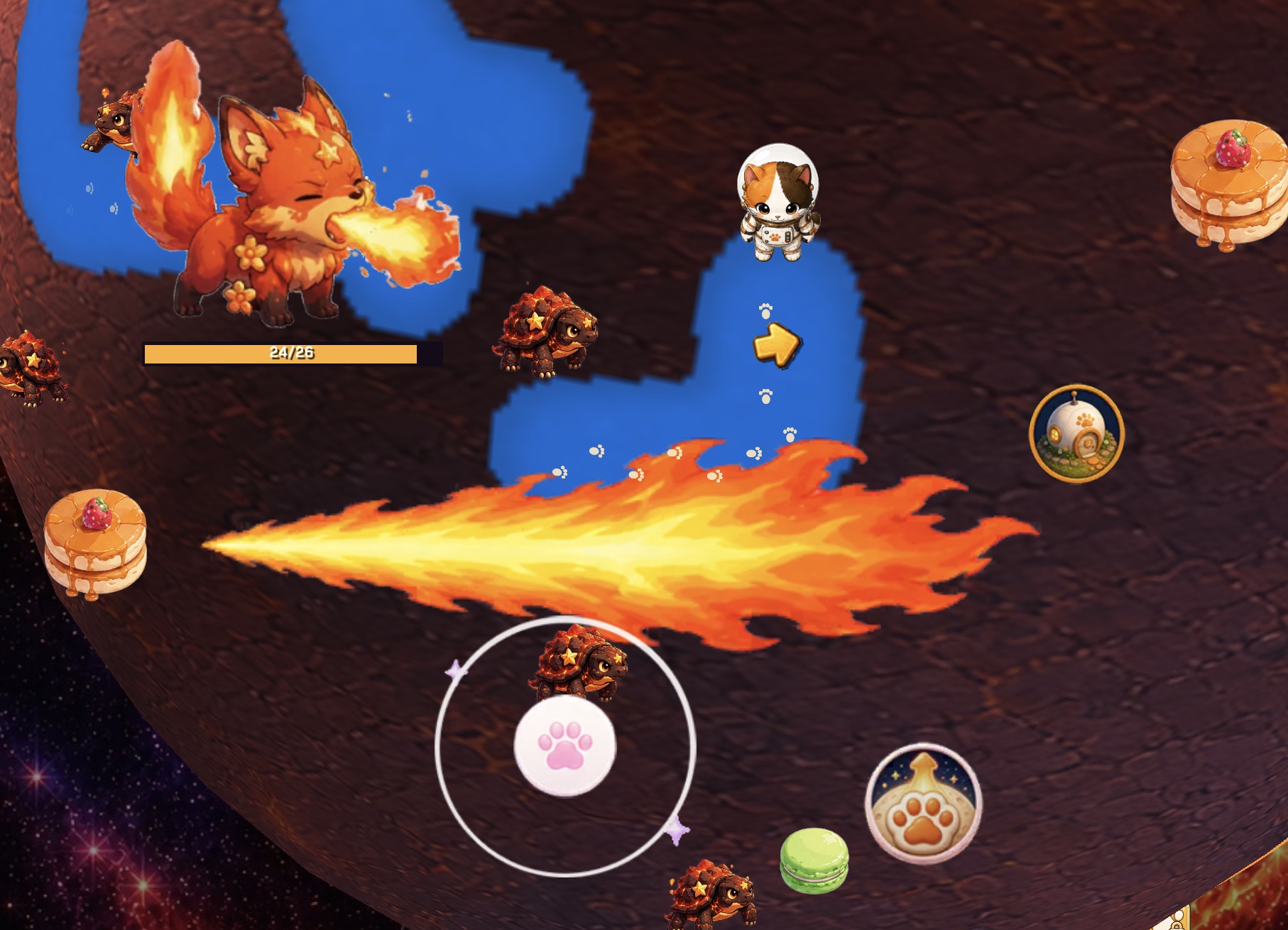
The actual symptom: the fire’s direction and the cat character’s position do not line up.
Right on screen, wrong on the planet
This game’s stages (planets) are not flat ground — they are spheres. The character stands in 3D space on that curved surface, but the art itself is a flat 2D sprite always facing the camera.
The original aim code took the fox’s mouth position and the cat’s position as 2D screen coordinates and used `Atan2` to get a direction. That is a completely normal approach for an ordinary 2D game. But the up/right directions on screen and the direction along the curved planet surface the fox is actually standing on are not always the same thing.
On top of that, the mouth position was computed from the sprite’s on-screen bounding box. Since that box shifts with every animation frame, the mouth origin wobbled along with it. While the character was moving, that error got buried in the motion — but the moment the cat stood still, the error stopped being hidden and showed up directly in the result.
22.5 degrees and 8 degrees, at the same time
The fire attack only fires in one of 8 fixed directions. Since 8 directions means a 45-degree gap between each one, snapping to the closest direction to the real target still carries a maximum error of 22.5 degrees.
The 8-degree figure in this log, on the other hand, was the fire hitbox’s half-width before the fix — narrower than the maximum snap error.
| Item | Value |
|---|---|
| Max error from 8-way snap | 22.5 degrees |
| Fire hitbox half-width | 8 degrees |
Each number looks reasonable on its own. Put together, the snap error could exceed the hit width. That is how you get a situation where the cat looks like it is standing inside the fire, and still doesn’t get hit.
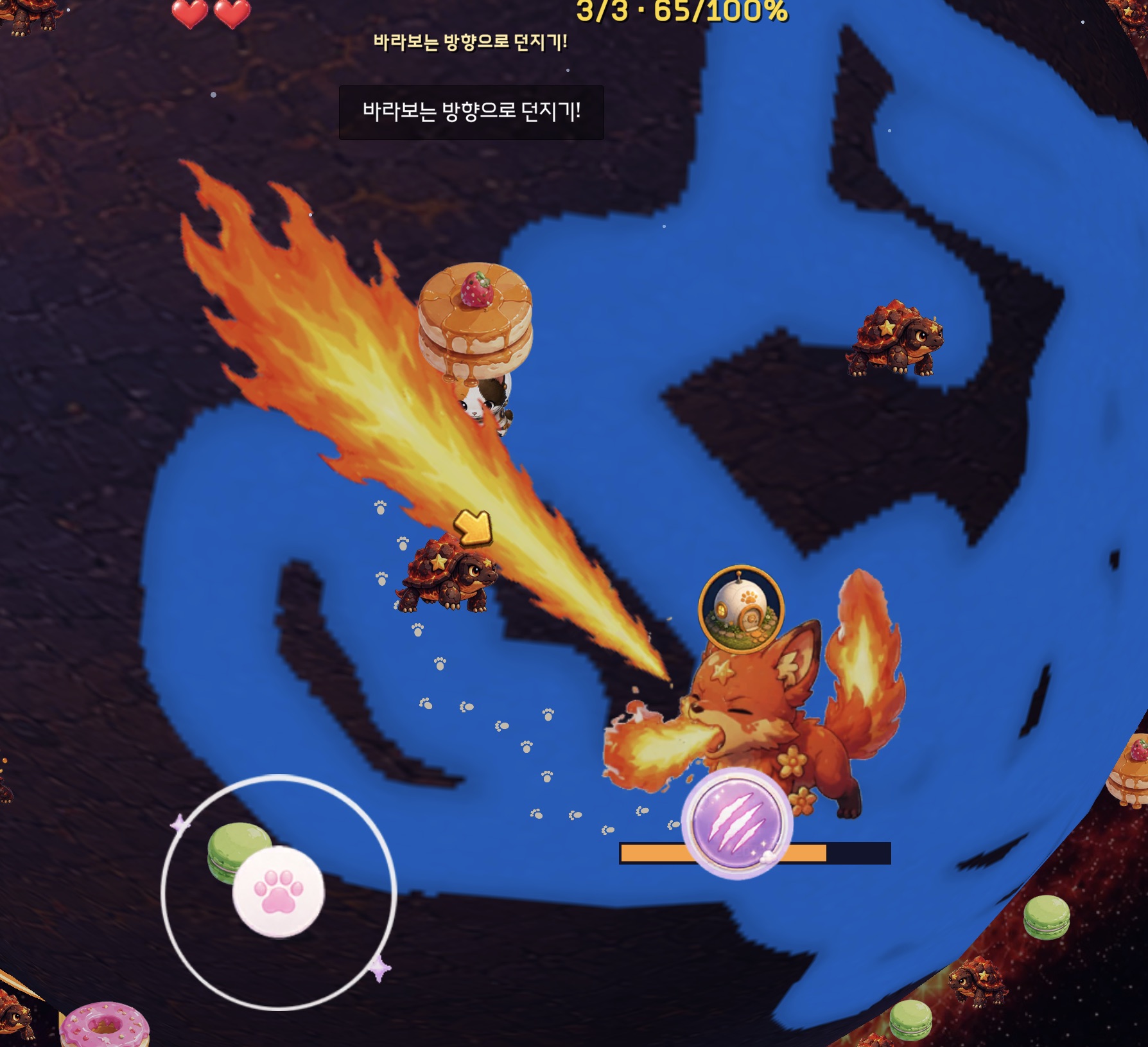
The fire aimed toward the cat. Not used here as proof the fix is complete.
Changing the reference plane and the origin point
So the fix changed direction. Instead of screen coordinates, the cat’s direction is now calculated on the plane that is actually tangent to the sphere at the point where the fox is standing (the flat plane that touches the curved surface exactly at that spot). The mouth position where the fire launches from is now taken from a fixed local anchor point inside the sprite and the real scale, instead of the on-screen bounding box.
For cases where snapping to the nearest of the 8 directions would completely miss the target, a path was kept that uses the real direction instead of forcing an 8-way snap. The fix log also records a 22-degree hit half-width, a fire length of 24, and the mouth-origin exception path. Launch distance and fire width for mid-size foxes were handled as a separate task.
Static source checking is done, but whether the fire actually lands on the cat in play, and whether it feels right across the different fox sizes, has not been confirmed by actually running the game yet.
A coordinate-system prompt for beginners
Before handing aiming, movement, or collision code to an AI, write the following into a rules file first.
Design reference resolution — 720x1280; real resolution is handled by scaling
Hit-detection unit — game coordinates, not screen pixels
Direction reference plane — the surface the character stands on, not the screen plane
Direction count and max error — 8 directions, max 22.5 degrees
Position anchor — a fixed local anchor point inside the art, not the bounding box
Hit width — checked against the range the actual effect covers
Then add this line to the prompt. An even safer approach is to put this table in the project’s rules file once, instead of re-explaining it in every prompt.
“Which coordinate system, unit, and reference plane does this calculation use? If it differs from the table in the rules file, explain the difference before writing any code.”
What this post comes down to
No syntax errors does not mean the game’s result is correct. The real issue here was not that the AI used a common 2D approach — it is that the project’s spherical surface and coordinate rules were never communicated before the work started.
The moment screen coordinates, world coordinates, and surface coordinates get mixed, aiming, collision, and the camera can all go wrong at once. This code change passed static checking, but the actual feel of the aim still needs to be confirmed in Play Mode. Which is why the reference has to be written down and the numbers gathered into one table before anything else.
Next post
Even with the coordinate system right, porting an original game while mixing in new features creates a different kind of bug. The next post is about a 7-step diff procedure for separating “what the original did” from “what got added.”
Solo dev of Call the Cat, shipped after 178 days
on Google Play
and Steam.
Now building the sequel, Call the Cat: Galaxy, in public.