Galaxy Devlog #07 · Read the Galaxy build log
I do not write code and I cannot read it. Call the Cat: Galaxy, the Unity sequel to a game I already shipped, is written line by line by AI agents. My job is to say what I want, set the rules they work under, and check whether what comes back is actually right.
One of those rules is about Git. When I hand a change to an AI, it is only allowed to record the files it touched for that one task. It is not allowed to sweep up everything that happens to be different in the project and put it all in one commit.
This post is not the story of a disaster I lived through. It is the rule I wrote down so the disaster does not happen, and why I think it is worth writing down even if you only run one agent. I will start with the Git terms, because the whole rule falls apart if “stage everything” sounds harmless.
What Git is actually doing
Git records how files changed and lets you compare a version against an earlier one. In a game project you use it to keep changes separated: “enemy attack tuning” as one recorded change, “settings screen rework” as another, so that later you can look at one without the other.
Three terms carry this whole post. A changed file is one whose contents differ from the last recorded version. Staging is choosing which of those changes go into the next recorded version. A commit is writing the chosen changes down as one entry in the history.
Staging a file does not move it to another folder. It just marks that change as going into the next commit. A commit is not a publish, either — nothing goes on the internet. Sending commits to a remote server is a separate step that I control.
So the danger is not in the push. It is one step earlier, in what gets chosen during staging.
Why “stage everything” is the risky part
Here is the situation the rule is built for. Two workers are in the same project. One is tuning enemy attacks. The other is halfway through building a new settings screen. The attack tuning is finished. The settings screen is not — it is in a broken, mid-edit state.
If the person who finished the attack tuning stages every changed file, the half-built settings screen goes into the same commit. Now the history has one entry that means two unrelated things, one of which does not even work yet.
For me, “two workers” is literal. My two agents, Codex and Claude, share one repository. I split their territory by folder back in Galaxy Devlog #01, but folder ownership does not help if one of them runs a staging command that ignores folders.
The commands that ignore folders are the “everything” ones. git add -A stages every change in the whole repository, no matter which directory you run it from. git add . stages every change in the current directory and everything under it — which, if you run it from the top of the project, is basically the whole repository too.
I am not telling you to memorize those. The point is the opposite: the word “everything” in a Git command has a wider reach than it feels like, and an AI that is trying to be helpful will reach for exactly those commands. The official git-add documentation spells out the scope if you want to read it.
Once two purposes are fused into one commit, the cost shows up later. “Show me just the attack change.” “Roll back just that one thing.” Both of those get harder, because the commit is not one thing anymore.
So the rule for my agents is: before recording anything, look at the list of changed files, look at what actually changed inside them, and stage only the changes that belong to the task you were given.
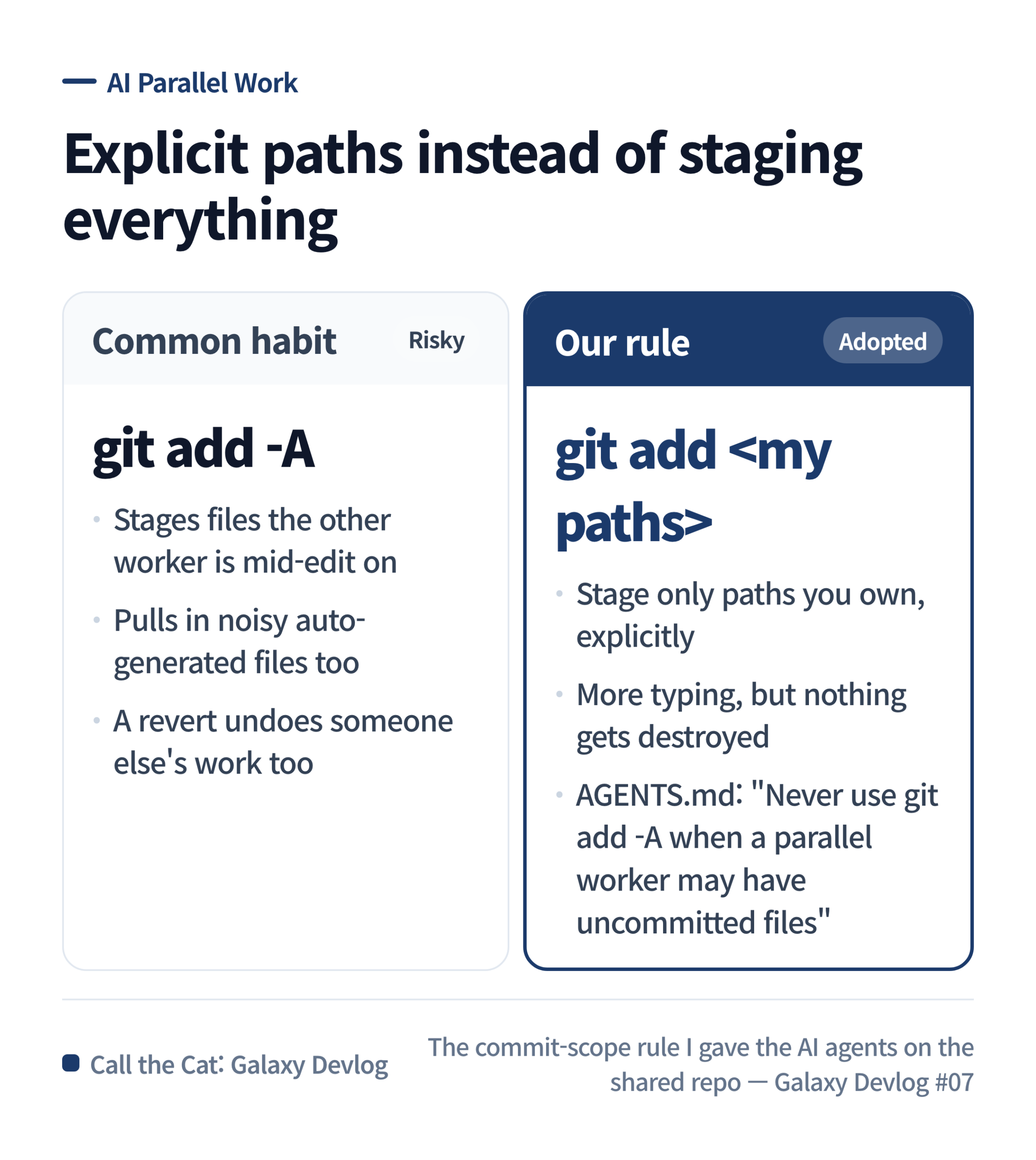
The habit on the left, the rule on the right: name your own paths instead of staging the whole tree.
Scope and stop conditions, stated up front
“Just tidy things up” does not tell an AI what is safe to delete. So the instruction it gets is more specific than that.
Before it starts, it confirms which folders and files the task involves. If the work will need a deletion, a move, or a revert, it has to show me the list of targets and the reason first — before doing it, not after.
The project rules also name things that must not be swept into a commit: another worker’s edits, files that changed automatically as a side effect, and developer-only settings. Unity’s own config files do not go in without someone reading the diff.
That last rule has an exception I had to write in explicitly, because the first version was too blunt. A .meta file in Unity is not junk — when you add a new asset, Unity creates a .meta for it and the project genuinely needs both committed together. So the rule is not “always exclude Unity files.” It is “check whether this file is part of the change you actually made.” A new sprite’s .meta is; a settings file that shifted because your editor was open is not.
Credential files and anything holding a password are on the review list too. I found it works better to name the files that must be protected and check the staged list against those names, rather than leave it at “be careful with sensitive files.” Naming them is not the end of it, though — you still have to look at the actual change, because a protected filename tells you where to look, not whether it is safe.
Copy this
Below is the instruction I give the AI before a change. Replace the bracketed parts with your own project. This is a message to the agent, not a command you type into a terminal.
Goal for this task: [the one problem you are fixing]
Scope: [the folders and files you have confirmed]

Before you start, show me the list of files that are already changed.
Preserve anything that belongs to other work in progress.
Before recording the change, show me which files you will stage and which you will leave out.
Do not stage the whole tree at once — select only the changes this goal needs.
If a delete, move, or revert is needed, tell me the target and the reason first.
Check whether credential files, passwords, or developer-only settings got mixed in.
Do not claim a test passed if you did not run it.
Putting this in front of a task does not remove the risk. At the end you still have to look at what was actually staged and confirm nothing unrelated rode along.
Where this leaves things
The rule I settled on is short: fix one goal, and record only the changes that goal needed. I spent less effort teaching the agents Git commands and more on making the boundary of each task explicit, because the boundary is the part they cannot infer.
What I checked for this post is the project’s working rules and how Git behaves. I did not check that the game runs without errors. Keeping the history clean and confirming the game actually works are two different jobs, and the second one is not done here.
Solo dev of Call the Cat, shipped after 178 days
on Google Play
and Steam.
Now building the sequel, Call the Cat: Galaxy, in public.