Call the Cat: Galaxy — devlog
TL;DR: The install was failing every time and I read it as success. The interpreter was refusing writes by policy, and the one time I forced it through, a routine upgrade wiped it out again.
Every time I needed it, it was gone
I added a tool that turns videos without captions into text. I ran the install command, and that day it worked.
A few days later I needed it again and got “no such module.” I installed it again. It worked again. And a few days later it was gone again.
At that point you start suspecting yourself. Did I delete something? Move a folder? Clean up too aggressively?
None of those.
It had never been installed
I ran the same command again, and this time I read the output to the end.
There it was — error: externally-managed-environment.
Translated: “this interpreter is managed by the system, do not install into it directly.” A Python installed by a package manager marks itself this way on purpose, so that users cannot break the system by dropping packages into it.
So the install had been failing, and I had been reading it as success.
The “it worked that day” memory was not imaginary either. There is an option that forces past the block, and with it the package really does land — inside the system interpreter. Which means when the package manager bumps that interpreter, everything sitting in it disappears. That is why it vanished every few days.
The problem was what “installed” pointed at
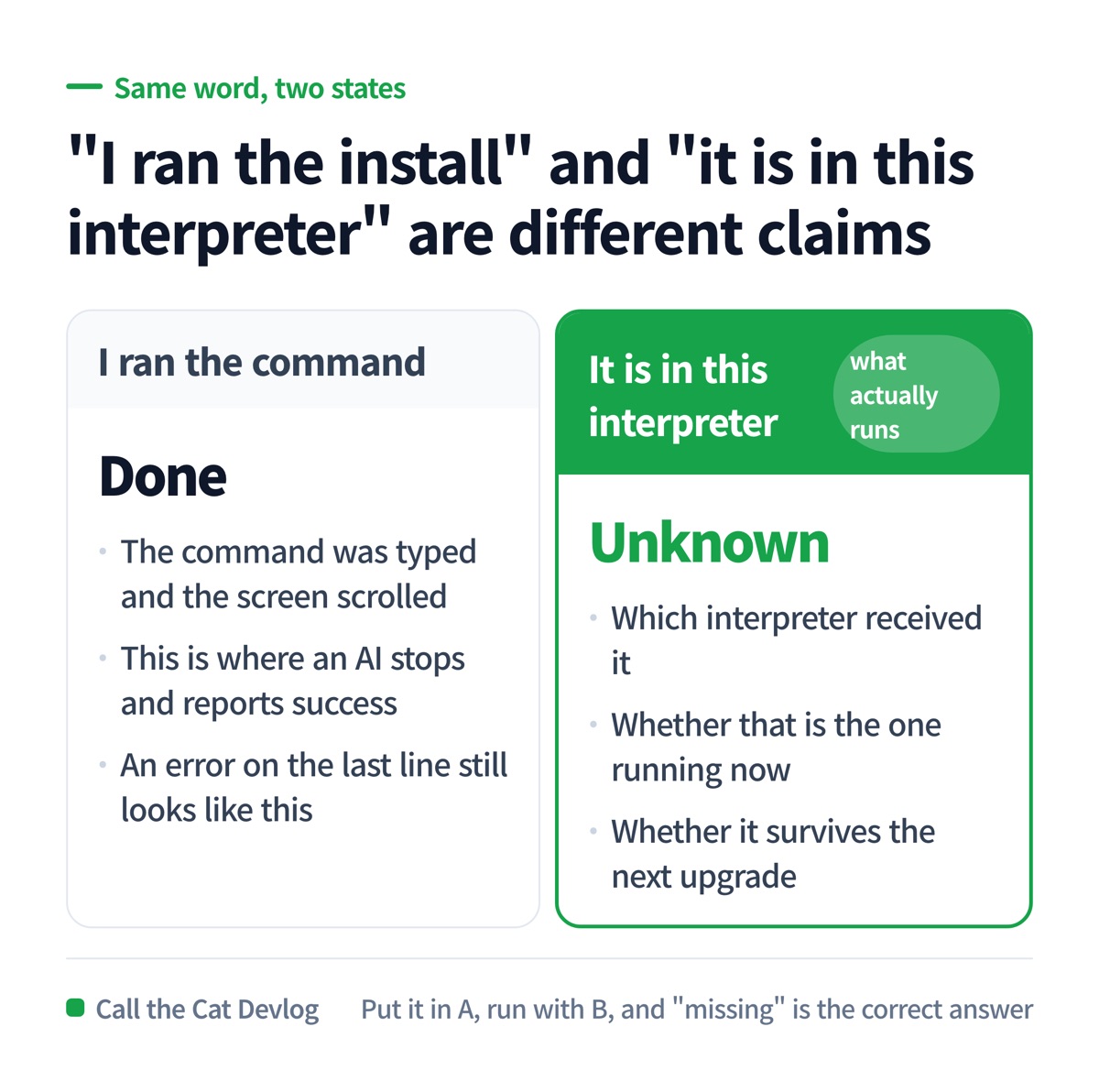
“I ran the install” versus “it is in the interpreter I am running” — two different claims.
Here is where it splits.
“I ran the install command” ends in my hands. The command was typed, the screen scrolled, a person calls that done.
“It is inside the interpreter I am running right now” is a completely different state. It depends on which interpreter received it, whether that is the same one being executed now, and whether it will still be there next week.
A machine can have several Pythons: the one that ships with the system, ones you installed, one per project. Put it in A, run with B, and “missing” is the correct answer. The person says “but I installed it” and the machine says “not here.” Neither of them is lying.
Hand it to an AI and it gets murkier
Ask an AI to do this and you usually get back: “Installed. You can use it now.”
That is not a lie. It ran the command, and even if the command errored, the AI’s job ended there. The scope of that report is “I executed the command.”
The next two things are not in scope. Whether it actually landed in the interpreter that runs now, and whether it will still be there later. Both are separate from running the command, and nothing looks at them unless you ask.
In an earlier devlog I wrote that “it is in the config file” and “it is in the app” are different sentences. In the last one, that “I uploaded the file” and “it is where the store looks” are different sentences. This is the third time in the same shape. There is always a gap between the thing you did and the state you wanted.
How I fixed it — a place of its own, and a tool that finds it
Two changes.
First, a dedicated environment for this tool, outside the repository. Not inside the system interpreter, so a package-manager upgrade does not touch it. Delete the repo and it survives.
Second, the tool now finds that place by itself. If what it needs is not in the interpreter currently running, the tool re-executes itself under the dedicated one. If the dedicated environment does not exist either, it prints the command to create it and stops. Not failing silently is the whole point.
Now nobody has to remember which interpreter it was. A problem that only stays fixed while you remember it is a problem that comes back.
Copy this — three lines to check after installing
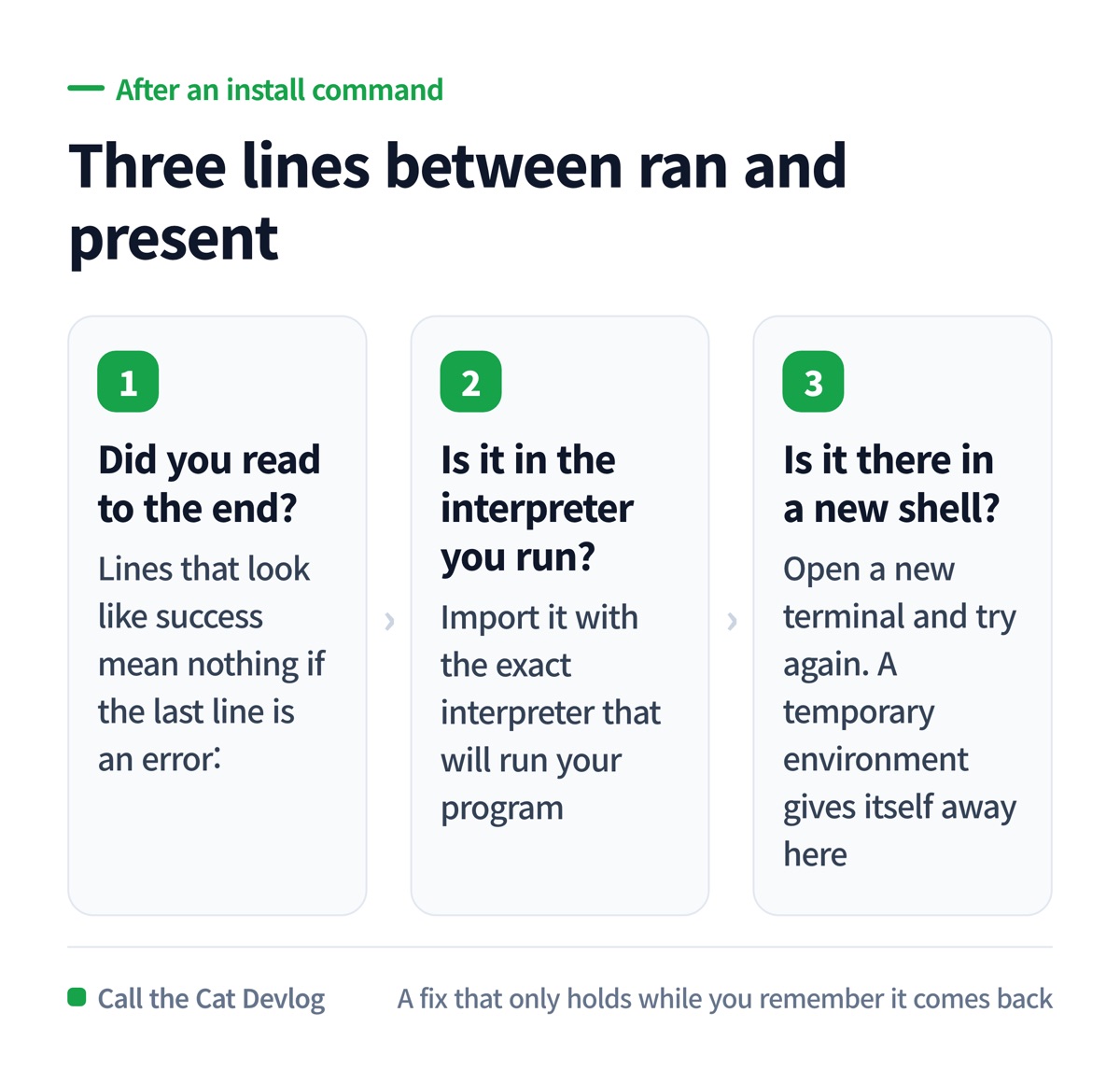
Did you read to the end, is it in this interpreter, is it there in a new shell.
Run these three after an install command. Stopping at line one is how I repeated this for days.
| Order | What you check | Passing means |
|---|---|---|
| 1 | Did you read the output to the end? | Lines that look like success mean nothing if the last line is an error: |
| 2 | Is it in the interpreter you actually run? | Import it with the exact interpreter that will run your program, not the one in the install command |
| 3 | Is it there in a new shell? | Open a new terminal and try again. This is where a temporary environment gives itself away |
Give the AI this one sentence when you hand it the job.
After installing, import it with the exact interpreter that will run the program
and show me that it succeeds. Print the install output down to the last line, and
if you could not check, say exactly that: "I only ran the command and did not
verify it in the interpreter that runs."
At a glance
| Item | Detail |
|---|---|
| Symptom | Installed, then “not found” again days later, repeatedly |
| First suspicion | I deleted it, I moved a folder, I cleaned it up — none of them |
| Actual cause | A system-managed interpreter was refusing the install; forcing it through put it somewhere an upgrade wipes |
| Missed | The error on the last line of the output |
| Fix | A dedicated environment outside the repo, plus a tool that re-executes itself there and stops if it is absent |
| Verified | 2026-09-08 — reproduced the refusal, imported successfully from the dedicated environment, watched the tool re-execute itself |
| Lesson | “I installed it” and “it is in this interpreter” are two different sentences |
Solo dev of Call the Cat, shipped after 178 days
on Google Play and Steam.
The sequel, Call the Cat: Galaxy, is now on the App Store — still building it in public.
Leave a Reply