Galaxy Devlog #14 · Read the Galaxy build log
I do not write code and I cannot read it. Call the Cat: Galaxy, the Unity sequel to a game I already shipped, is written line by line by AI agents. My job is to say what I want, set the rules they work under, and check whether what comes back is actually right.
This one is about the fact that an empty save is still a save.
A new game and existing progress are two different states
Starting New Game on the Steam release begins with empty progress. Meanwhile, an existing local file or the cloud may already hold real playtime. The thing to understand here is that empty data is still save data. Upload that empty state as if it were normal progress, and it can overwrite what already exists.
The actual work log, `G-20260826-07`, records the problem as “a fresh Steam New Game reverting to an old save.” This post is not about publishing the full structure of the save file — it’s about the defensive principle of never treating an empty state the same as real progress.
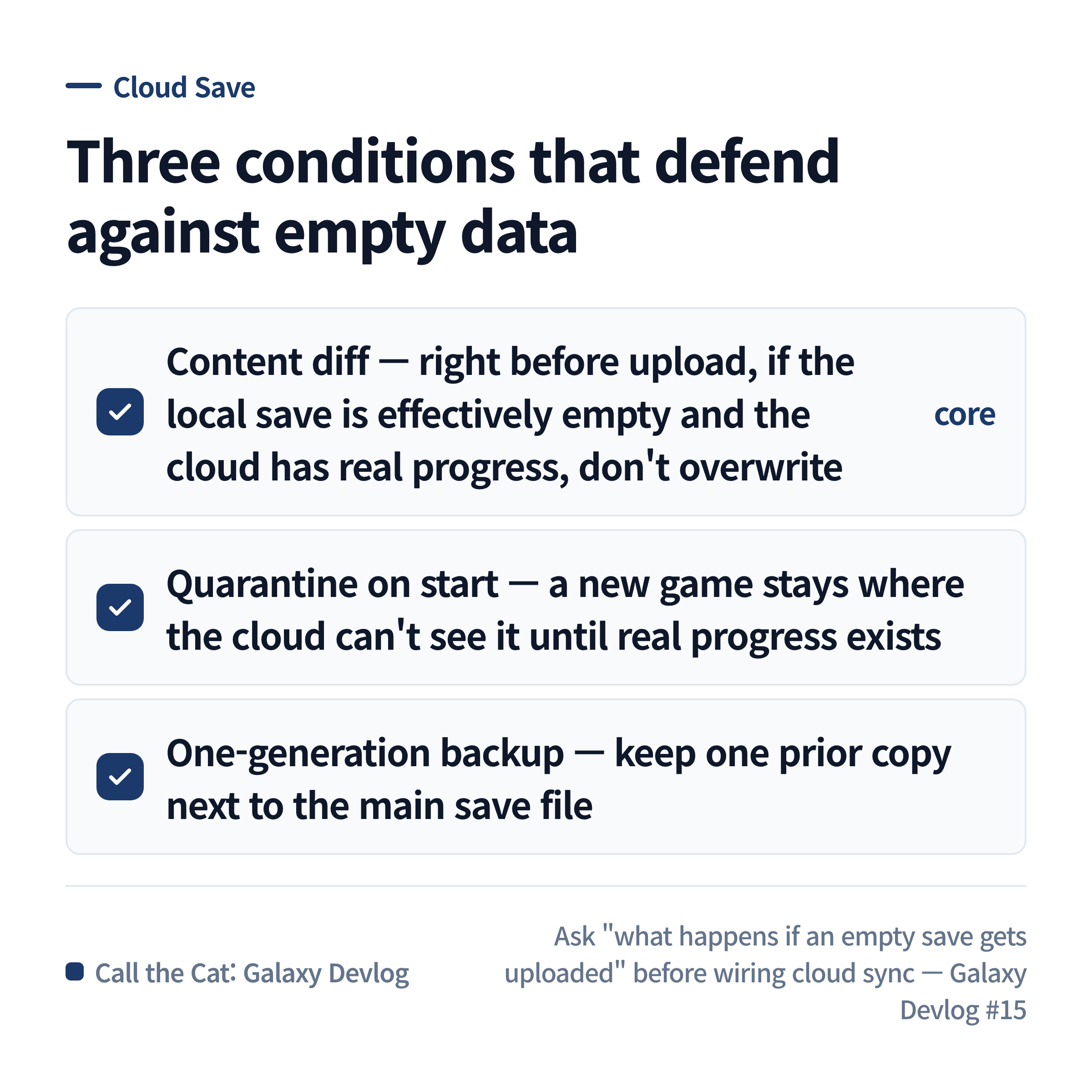
Three conditions that keep empty data from overwriting existing progress.
An empty state doesn’t immediately become the cloud file
Right after New Game, the empty progress is kept as local staging, separate from the main file that syncs to the cloud. It only gets promoted to a verified save once actual planet or headquarters progress exists.
Under this setup, opening the menu on a new device and then quitting does not turn the existing progress on another device into empty data. The new-game staging also doesn’t get deleted just because the main file has older progress — because that staging is that device’s active new game.
Progress, purchases, and settings don’t merge the same way
For game progress, you have to decide which side wins when there’s a conflict. Automatically merging progress played simultaneously on two devices is not something this supports.
Purchases and entitlements are different — you can’t just pick one side. Anything already purchased has to be merged in without loss. Device-level settings like sound or display, on the other hand, are allowed to differ per device, so they’re excluded from cloud sync entirely.
| Data | Principle |
|---|---|
| Game progress | pick one side; simultaneous-play merging isn’t guaranteed |
| Purchases / ownership | merge so nothing is lost |
| Device settings | stay local to the device |
Copy this
When designing cloud save, settle these three things first.
| Condition | What it means |
|---|---|
| Content diff | if what’s about to upload is effectively empty and the remote has real progress, don’t overwrite it |
| New-game quarantine | don’t promote to the cloud-facing file until real progress exists |
| Backup retention | keep the main file and a previous-generation copy together, and verify on corruption |
And always guide device switches in order: finish quitting and uploading on the old device, then wait for sync on the new one. Don’t promise that content played simultaneously on two different devices gets merged automatically. This order is an operating procedure that assumes how Steam Cloud’s sync actually behaves — it doesn’t replace verifying it on a real account across two real devices.
Current status
The source fix and static check that stop an empty New Game from being deleted because of the main file are done. Round-tripping between real Windows and macOS devices on an actual Steam account is still outstanding. So the point of this post isn’t “we blocked it” — it’s what boundary we built in order to block it.
Next post
After splitting the save boundary, the next thing to check is whether the distributable build doesn’t get too big. The next post covers breaking down an Android AAB by component and measuring the art first.
Solo dev of Call the Cat, shipped after 178 days
on Google Play
and Steam.
Now building the sequel, Call the Cat: Galaxy, in public.